ZHERO for ZPA Everything You Need to Master Zscaler Private Access
Scroll Down
The ZPA Visibility Gap
ZPA access policies use nested AND/OR conditions spanning users, groups, posture profiles, platforms, and client types. Application segments link to server groups, connector groups, and domain lists in a web of dependencies.
The native console shows configuration, but not clarity. You can see what you configured — but not what it means, what it affects, or what you missed.
ZHERO changes this. It adds an intelligence layer on top of the ZPA console — turning raw configuration into visual, searchable, exportable insight. Every feature works where you already work, without leaving the console.
Visual Policy Conditions
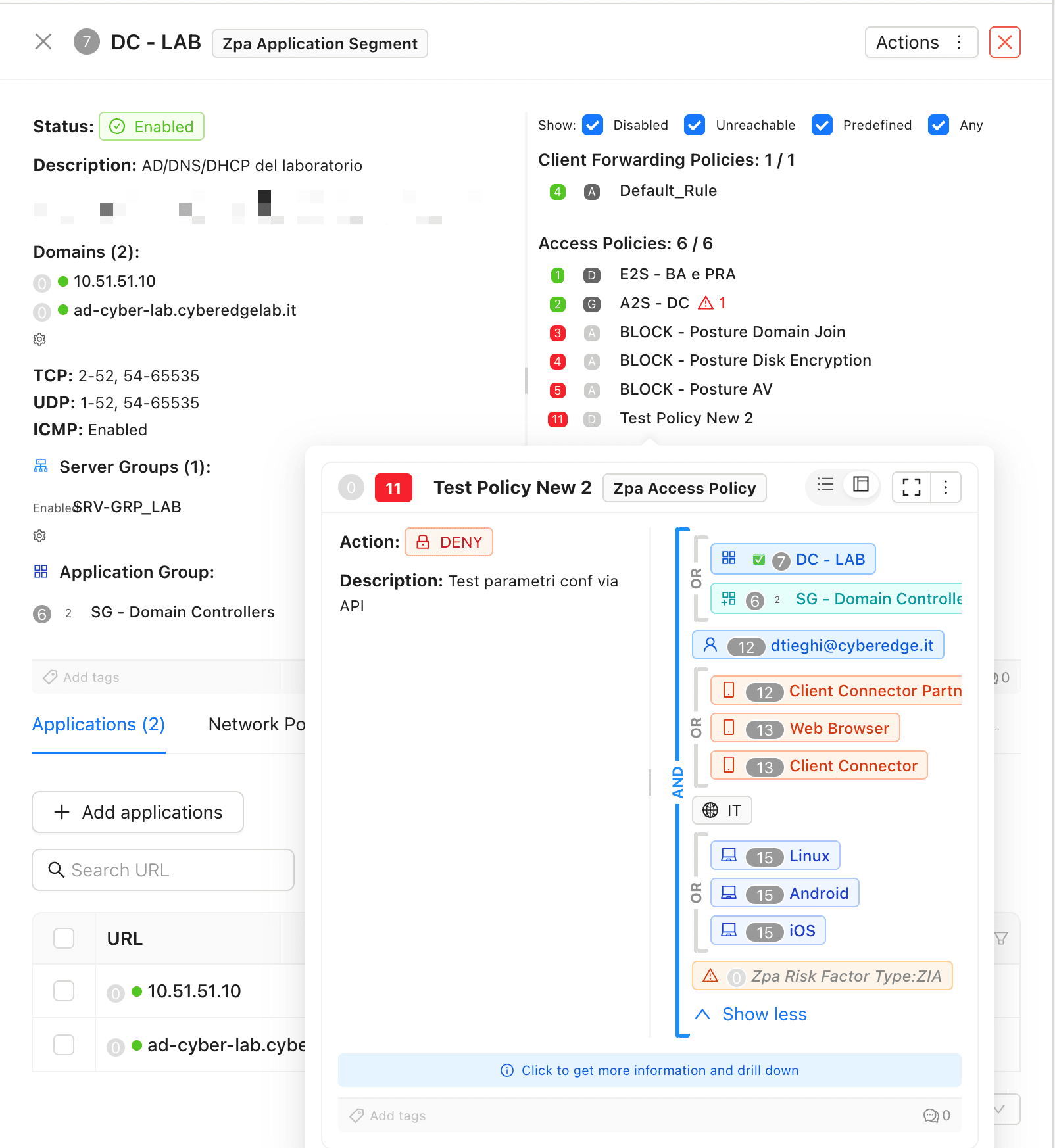
ZPA access policies use complex AND/OR logic across multiple entity types. ZHERO renders these as visual bracket structures — instantly showing how conditions combine, which entities are involved, and where client forwarding is set to INTERCEPT or BYPASS.
Every entity in the condition is clickable — open the entity card, see its details, drill down to related configurations. No more memorizing IDs or switching between pages.
Criteria Entity Intelligence
Every entity in your ZPA policies becomes clickable, inspectable, and searchable.
Users & User Groups
Posture Profiles
View posture profile conditions, compliance checks, and which policies depend on each profile — all from one click.
Platforms & Client Types
See which platforms and client types are targeted by each policy condition — with visual indicators and entity cards.
Trusted Networks
Machine Groups
Server & Connector Groups

Application Segment Intelligence
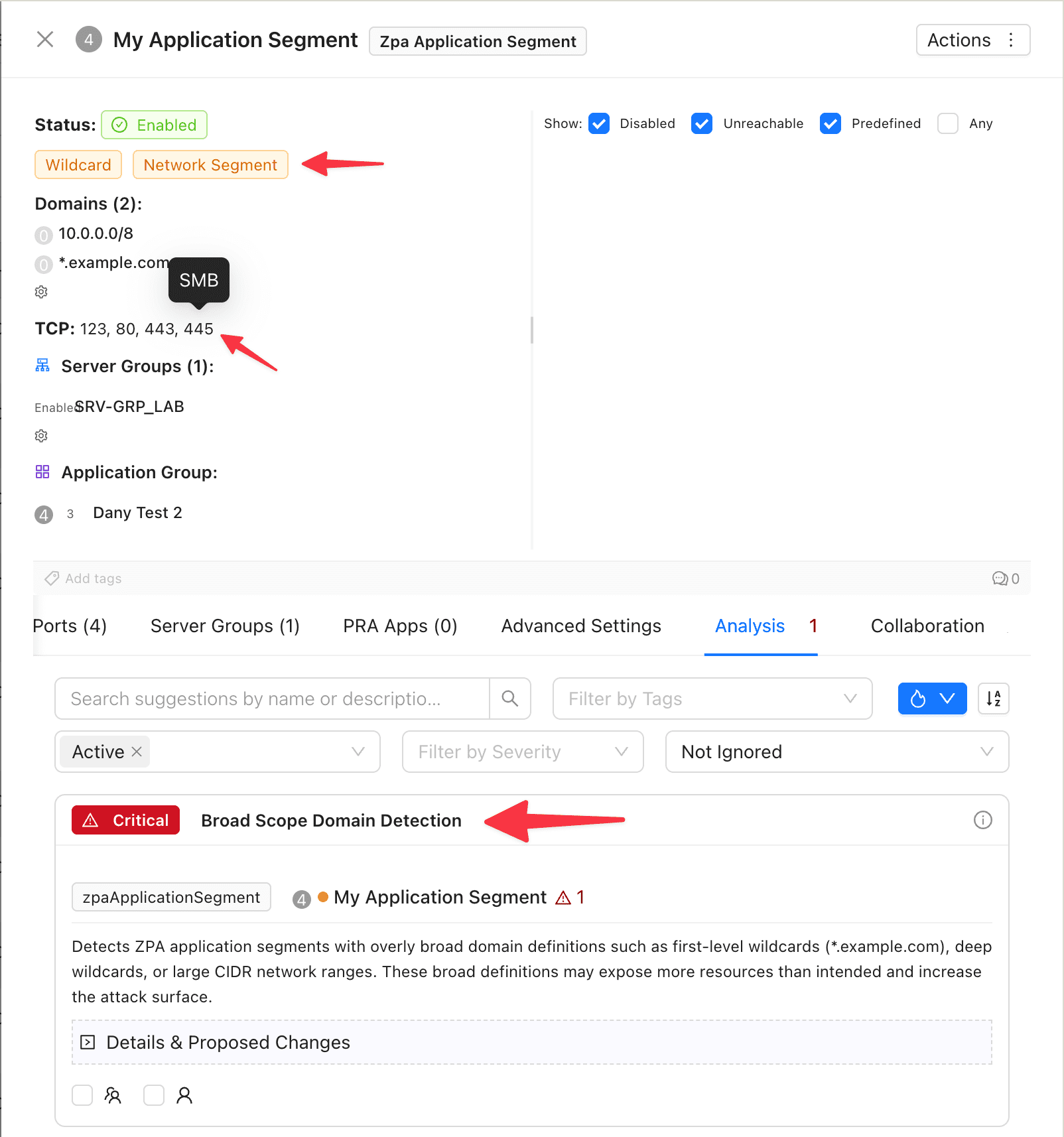
ZHERO enriches every Application Segment with visual intelligence:
- Wildcard detection — magenta dots for Multi-Match domains, orange for wildcards and network segments
- Port service mapping — see HTTP, HTTPS, SSH, RDP instead of raw port numbers
- URL source tracking — colored indicators show whether domains come from ZIA, ZPA, or both
- CIDR notation — network segments are clearly identified and labeled
Domain Management
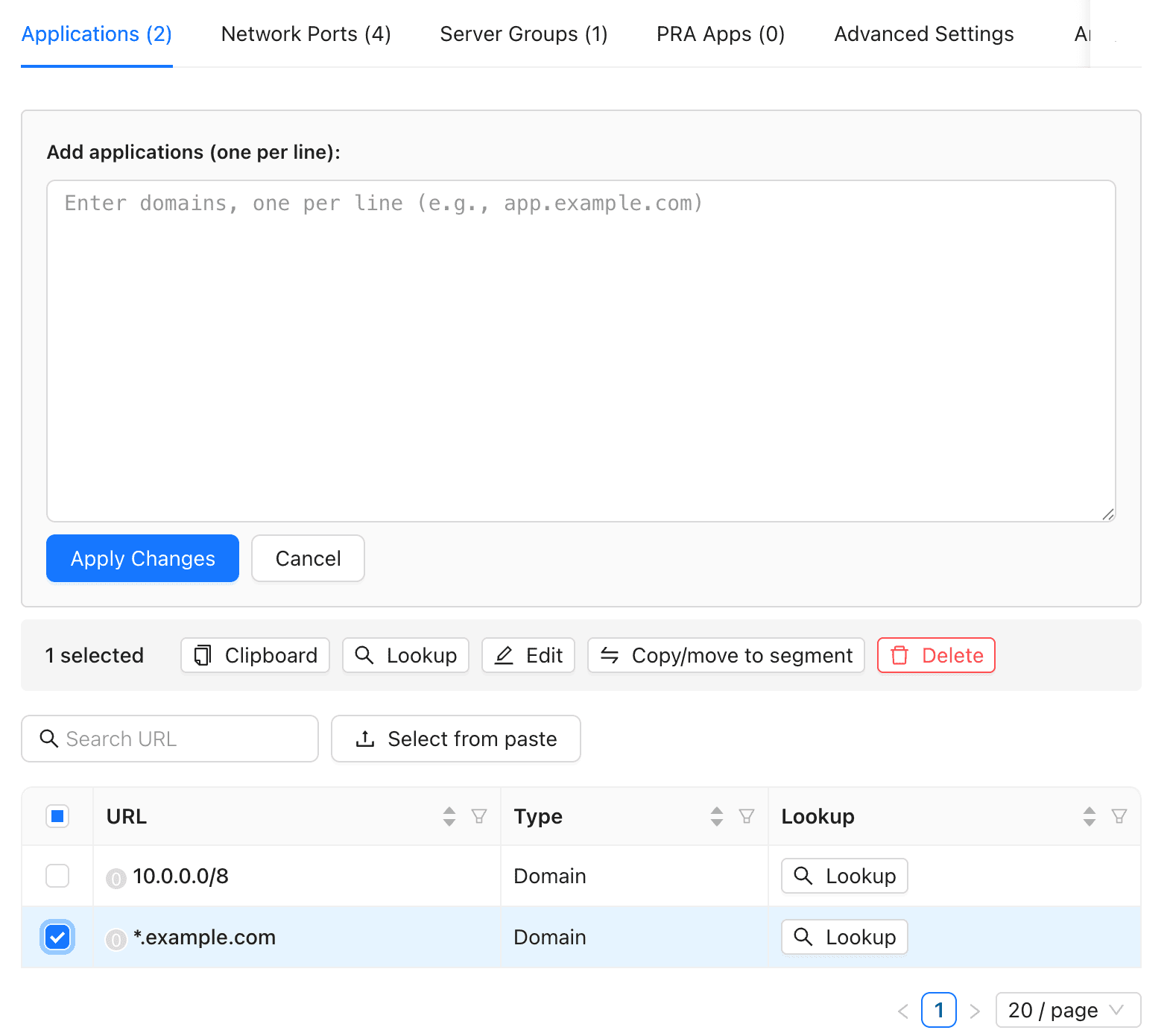
Managing domains across Application Segments is one of the most tedious tasks in ZPA. ZHERO turns hours of manual work into minutes:
- Bulk edit — modify domains across multiple segments at once
- Bulk delete — clean up domains from multiple segments simultaneously
- Move/Copy — transfer domains between segments with conflict detection
- Clone — duplicate domains to new segments
- Conflict detection — automatic multi-match validation before applying changes
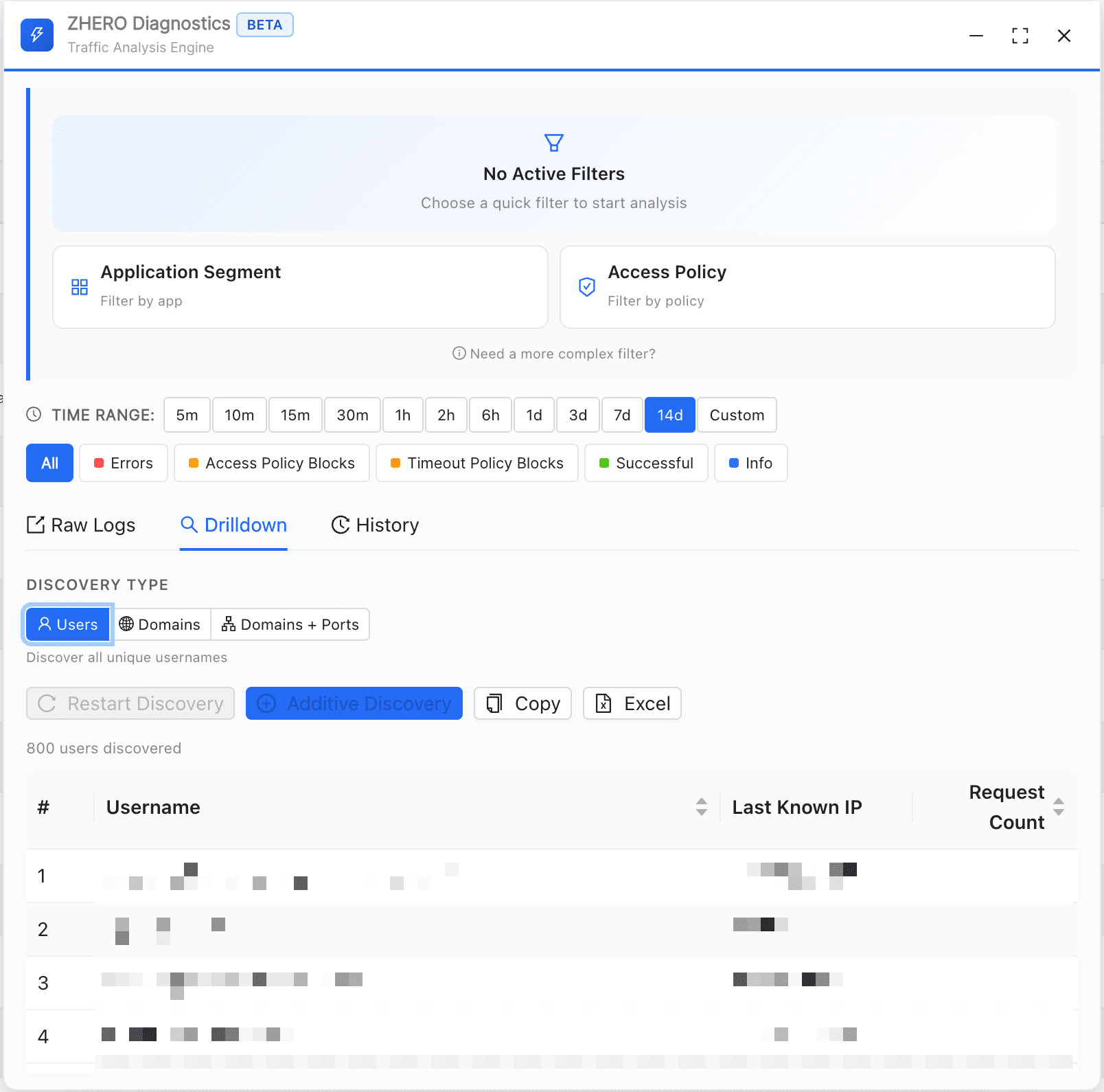
ZPA Diagnostics Engine BETA
The feature admins can’t believe isn’t native. Turn raw ZPA diagnostic data into actionable, exportable intelligence.
Multi-dimensional drilldown is the game-changer. From any diagnostic search result, extract:
- All users matching a specific filter
- All domains accessed through an application segment
- The full domain:port combination for any filter
Then export everything to Excel in one click. No more manual cross-referencing. No more copy-pasting into spreadsheets.
Floating Panel
Background Operation
Search History
Every search is saved. Restore any previous search with one click — filters, results, and drilldowns.
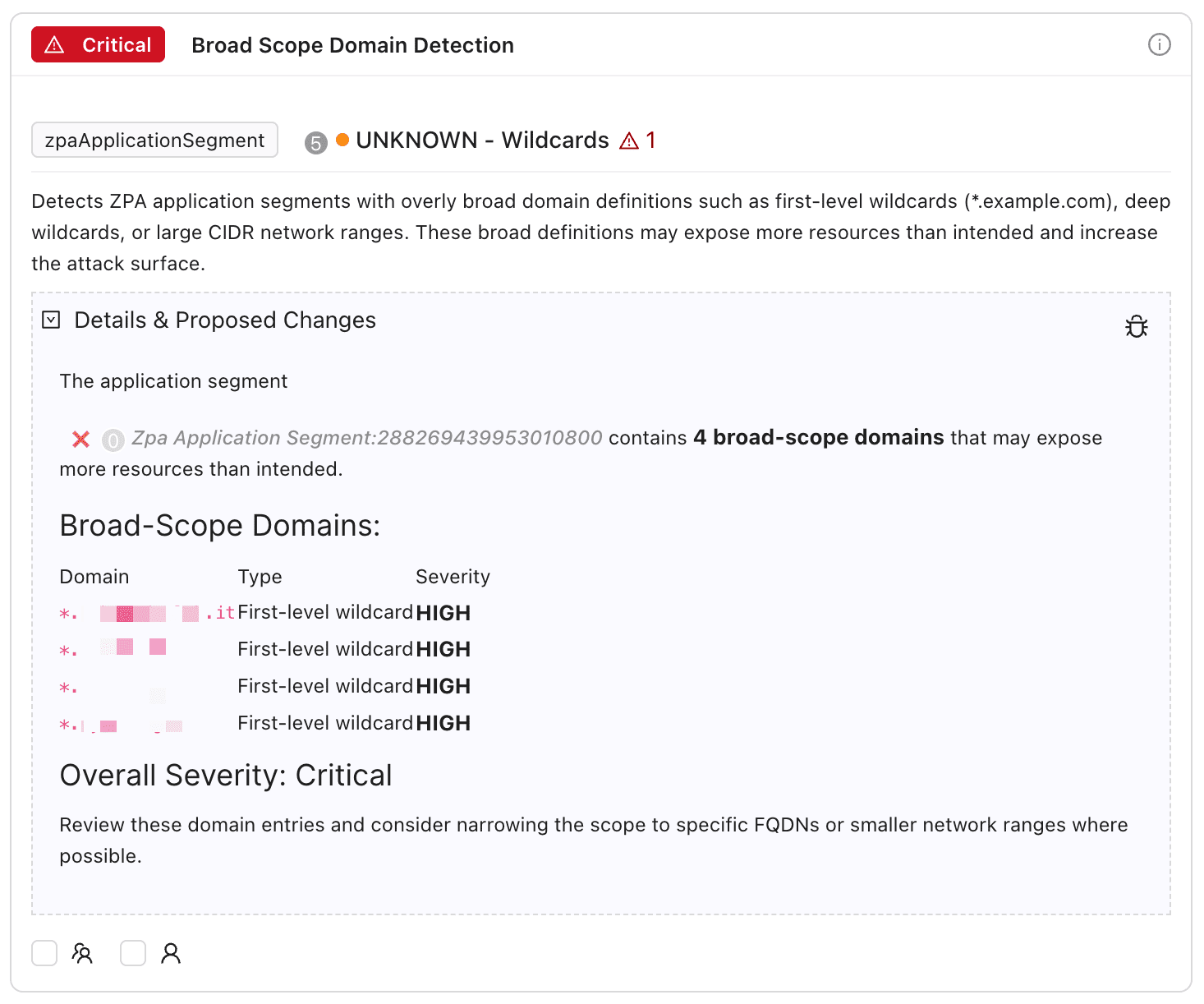
14 Analysis Templates
The first analysis templates built specifically for ZPA. Automated best-practice checks that scan your ZPA configuration and surface security gaps, hygiene issues, and stale entities.
- Catch-all rule detection — find overly broad access policies
- Broad scope detection — flag application segments exposing unintended resources
- Unreachable policy detection — identify policies shadowed by higher-priority rules
- Unused entity detection — find application segments not referenced by any policy
Each finding includes severity, explanation, and remediation guidance.
Professional ZPA Exports
Export your ZPA configuration to Excel with full customization, templates, and collaboration data.
Access Policy Export
App Segment Export
Diagnostic Reports
Safe Change Management
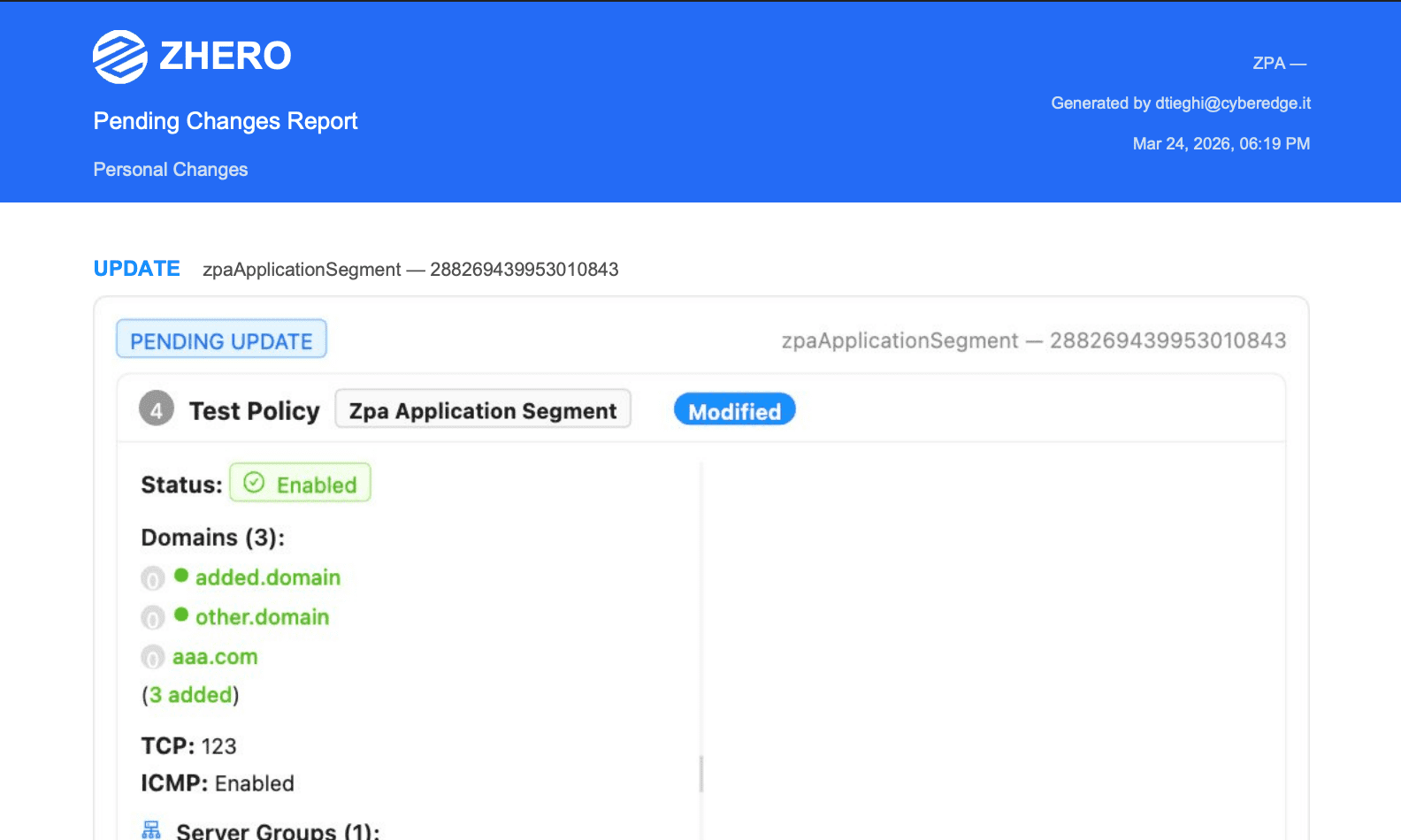
Stage, review, and apply ZPA changes with confidence — the same workflow you use on ZIA:
- Pending changes queue — stage modifications safely before applying
- Advanced diff visualization — see exactly what will change
- Shared pending changes — collaborate on changes with your team in real-time
- PDF export — document change proposals for review meetings

Team Collaboration
Your ZPA configuration is a team effort — ZHERO makes it work like one:
- Entity tags and comments — annotate any ZPA entity with context for your team
- Shared pending changes — collaborate on ZPA changes with real-time sync
- Collaboration dashboard — see all team activity in one place
- Audit trail — complete history with entity snapshots for compliance
Why Security Leaders Choose ZHERO for ZPA
ZPA adoption often stalls because the native console doesn’t give teams enough visibility to configure with confidence. ZHERO changes that equation.
Adoption and Confidence
Governance
Configuration Hygiene
Actionable Intelligence
Talk to Our Team!