Security Posture Score, compare, and prove your Zscaler posture is improving.
For most Zscaler teams, "are we in good shape?" is the hardest question to answer. Security Posture & Intelligence turns hundreds of configuration findings into trackable scores: one dashboard for ZIA and ZPA configuration, one for your Client Connector fleet. A number your team can improve, and your board can read with confidence.
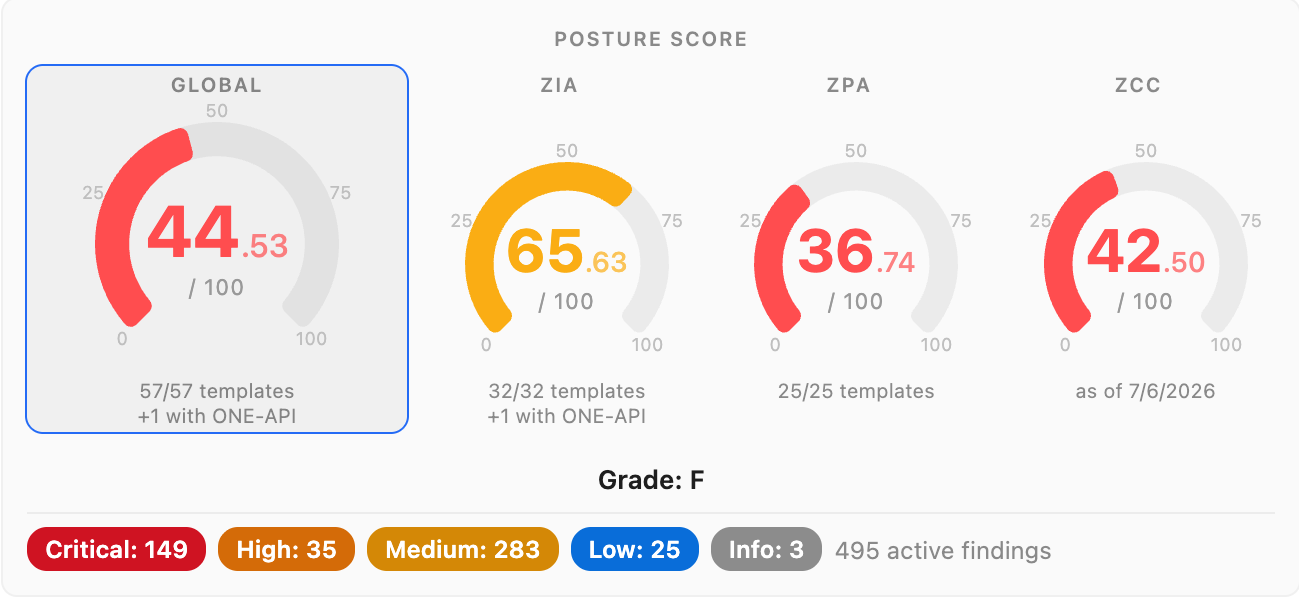
One posture score across ZIA, ZPA and ZCC, built from 1000+ checks.
Two surfaces, one outcome
Security Posture & Intelligence removes the posture tax: instead of reconstructing “are we in good shape?” from hundreds of findings and manual reports, your team tracks one measurable score for ZIA and ZPA configuration and an A to E grade for the Client Connector fleet. The result is confidence you can show, not just claim: a metric the board can read, with the audit trail to back it.
ZCC Fleet Health
Score and remediate your Client Connector fleet
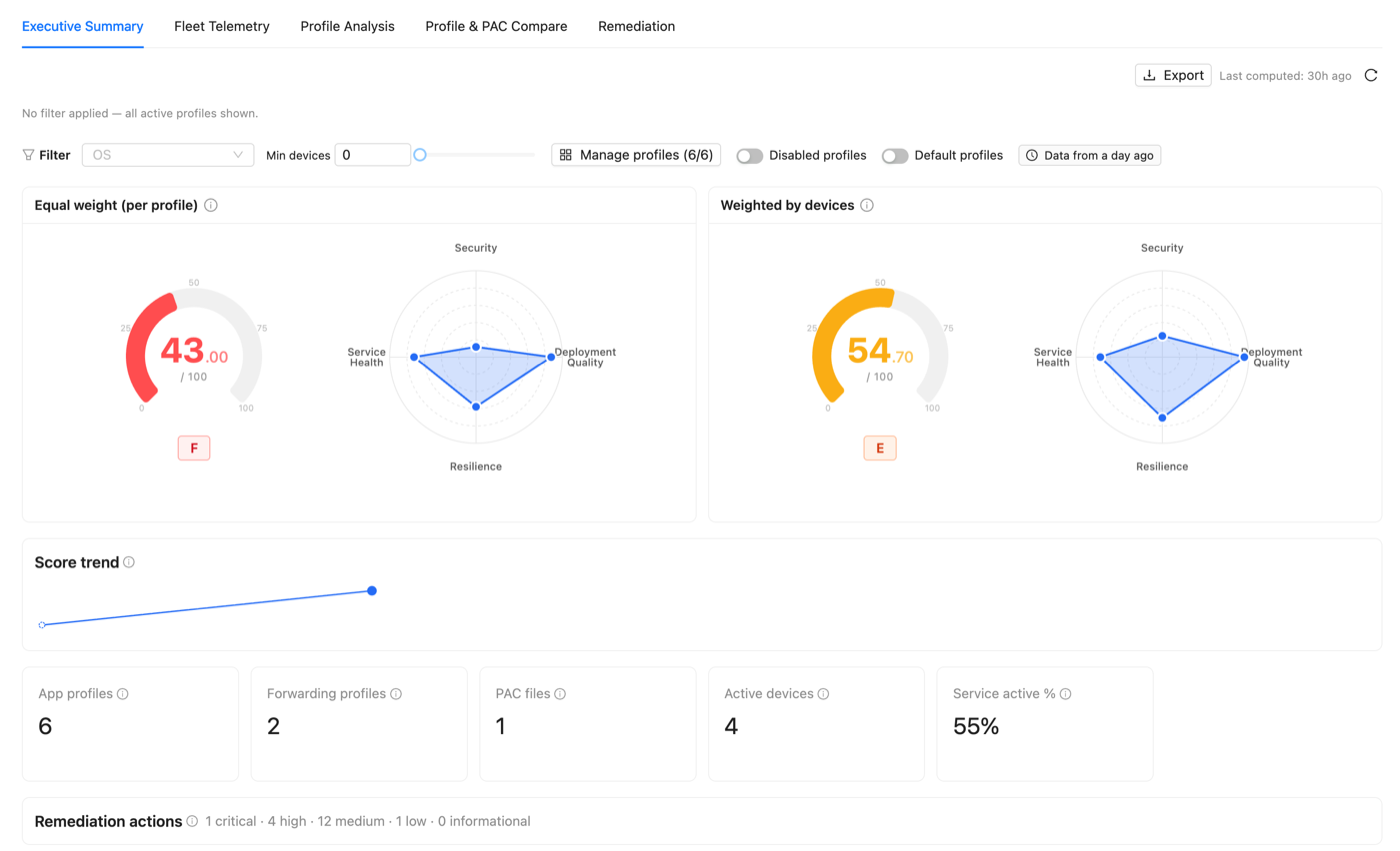
App Profile, Forwarding Profile and PAC file define how every device connects, and each lives on a different console screen you can't even keep open side by side. ZCC Fleet Health scores every profile combination against best practice and reports two numbers: Equal weight, the quality of your profiles in the abstract, and Weighted by devices, the posture your users are actually exposed to.
- Fleet telemetry surfaces the blind spots: devices with ZIA, ZPA or ZDX inactive, ghost devices and registration anomalies.
- A coverage heatmap ranks every best-practice check across every profile, worst-first, so gaps like missing fail-close or legacy PAC macros show at a glance.
- A remediation plan orders the fixes by impact, with a Score Recovery Waterfall projecting the grade you reach once they are applied.
From findings to a score in four steps
Step 1
Surface
The Smart Analysis engine runs 1000+ checks across ZIA and ZPA continuously, attaching severity, category and entity metadata to every finding.
Step 2
Quantify
The Security Posture Dashboard aggregates those findings into a single score for both clouds. ZCC Fleet Health does the same for your Client Connector deployment, profile by profile.
Step 3
Improve
When your team fixes a finding, the score moves. Drill from the score to the contributing findings, and from each finding to the entity that needs attention.
Step 4
Prove
Score history is recorded in the audit log with actor and timestamp, exportable to Excel. A one-off audit becomes continuous, quarter-over-quarter evidence.
Without ZHERO vs With ZHERO
Questions, answered
Does my configuration data leave the browser?
Is Security Posture & Intelligence fully released?
How is the posture score calculated?
Does it work at enterprise fleet scale?
What if a check does not apply to my environment?
See it in action
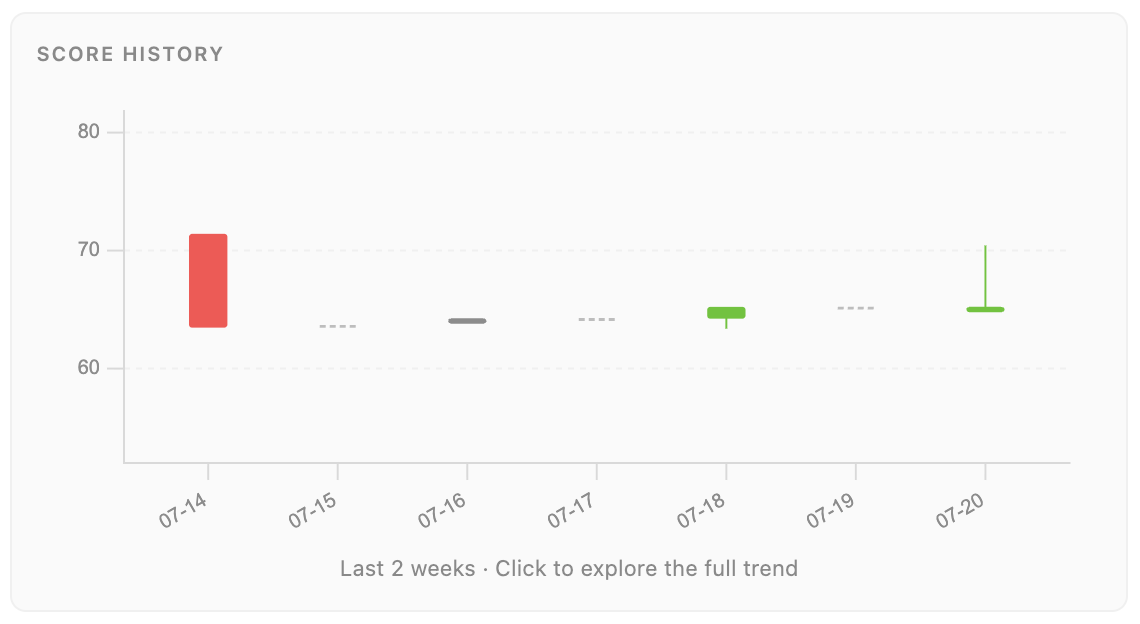
Your posture score dropped 3.33 points. Here is what moved it, and who.
Most configuration assessments tell you where you were on the day somebody ran them. Here is what changes when the score becomes a trend with attribution: you can see a regression, name its cause, and preview a fix before you apply it.
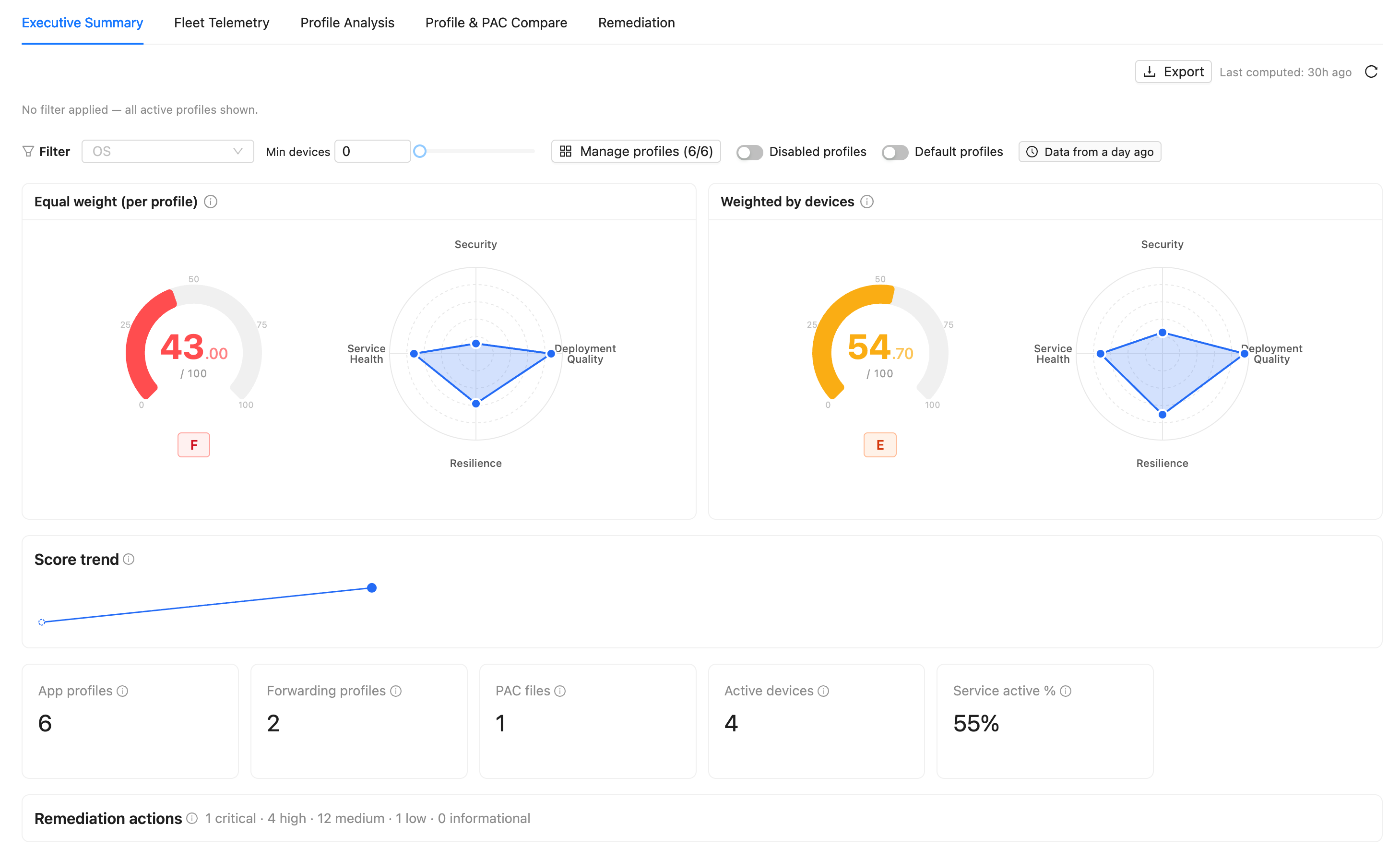
App profiles, forwarding profiles, PAC files: the assessment nobody wanted to do
The Client Connector layer is the part of a Zscaler assessment everybody postpones: three configurations that depend on each other, spread across screens you cannot open at the same time. Here is how ZHERO turns it into two scores, a heatmap and a recovery plan.
Your Zscaler tenant now has a score your board can read
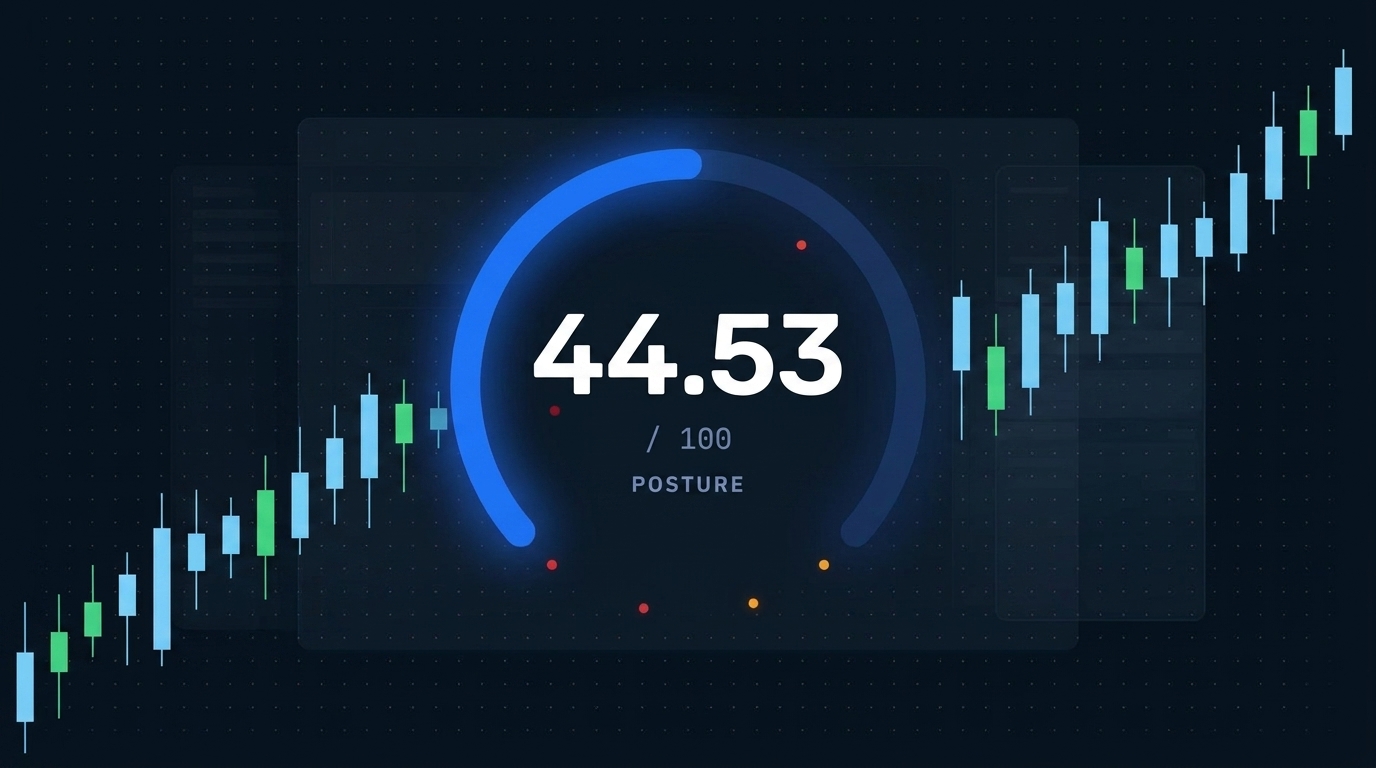
A real production tenant scored 44.53/100, Grade F, with 495 active findings its team did not know about. Why posture blindness is normal, and what a readable score changes.
Ready to see Security Posture in your tenant?
Start Your Transformation!
Install in two minutes. No servers, no migration, no training.