Advanced Exports Comprehensive Zscaler exports, generated in seconds.
Zscaler holds powerful data, but compiling it into meaningful, shareable analysis takes real effort. Advanced Exports gives you 15+ professional export types powered by a unified Export Engine: configuration, policy usage and traffic data cross-referenced into documents the native console does not produce, ready for networking, audit, endpoint, capacity planning and executive teams.
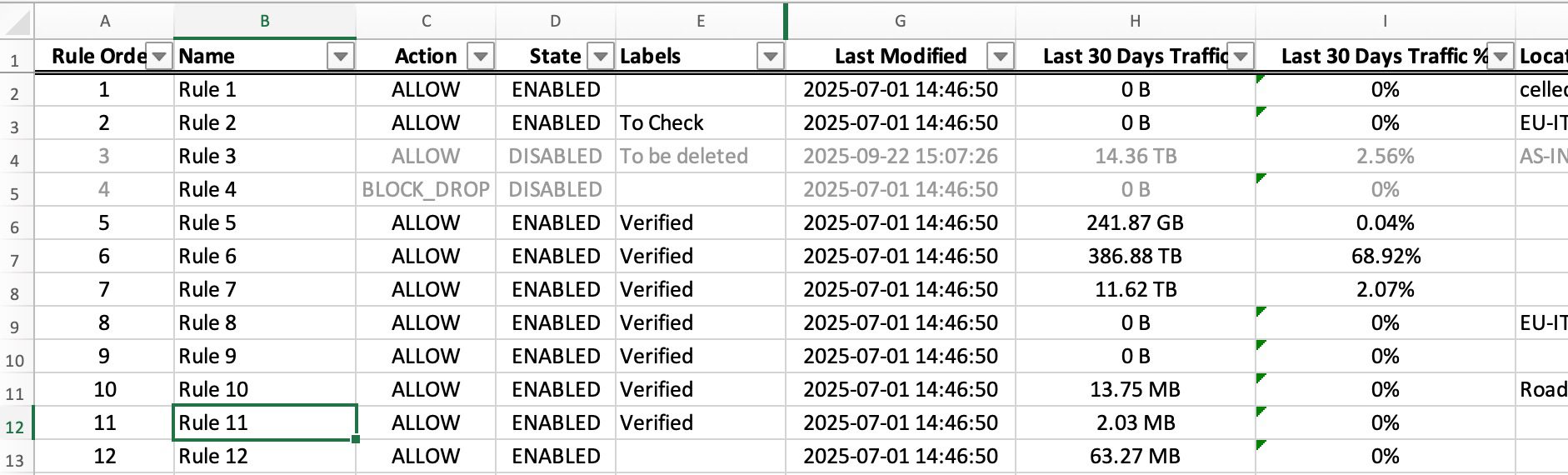
Exports that took hours of manual compilation now take minutes.
The full export catalog
One unified engine, one click. 15+ export types and counting, grouped by the team that needs them.
- URL Inventory
- Firewall Rules
- Locations
- App Profiles (3 sheets)
- SSL Policies
- URL Filtering
- Cloud App Rules
- Access Policies
- Application Segments
- Diagnostics Logs
- User Drilldown
- Domain Drilldown
- Audit Trail
- Pending Changes
- ZIA Insights
One engine, exports for every team
Advanced Exports removes the reporting tax from Zscaler administration: instead of extracting data screen by screen and rebuilding spreadsheets by hand, you generate professional, analysis-enriched documents in one click. Everything is compiled locally in your browser from your live configuration, so the export is always current and your data never leaves your machine.
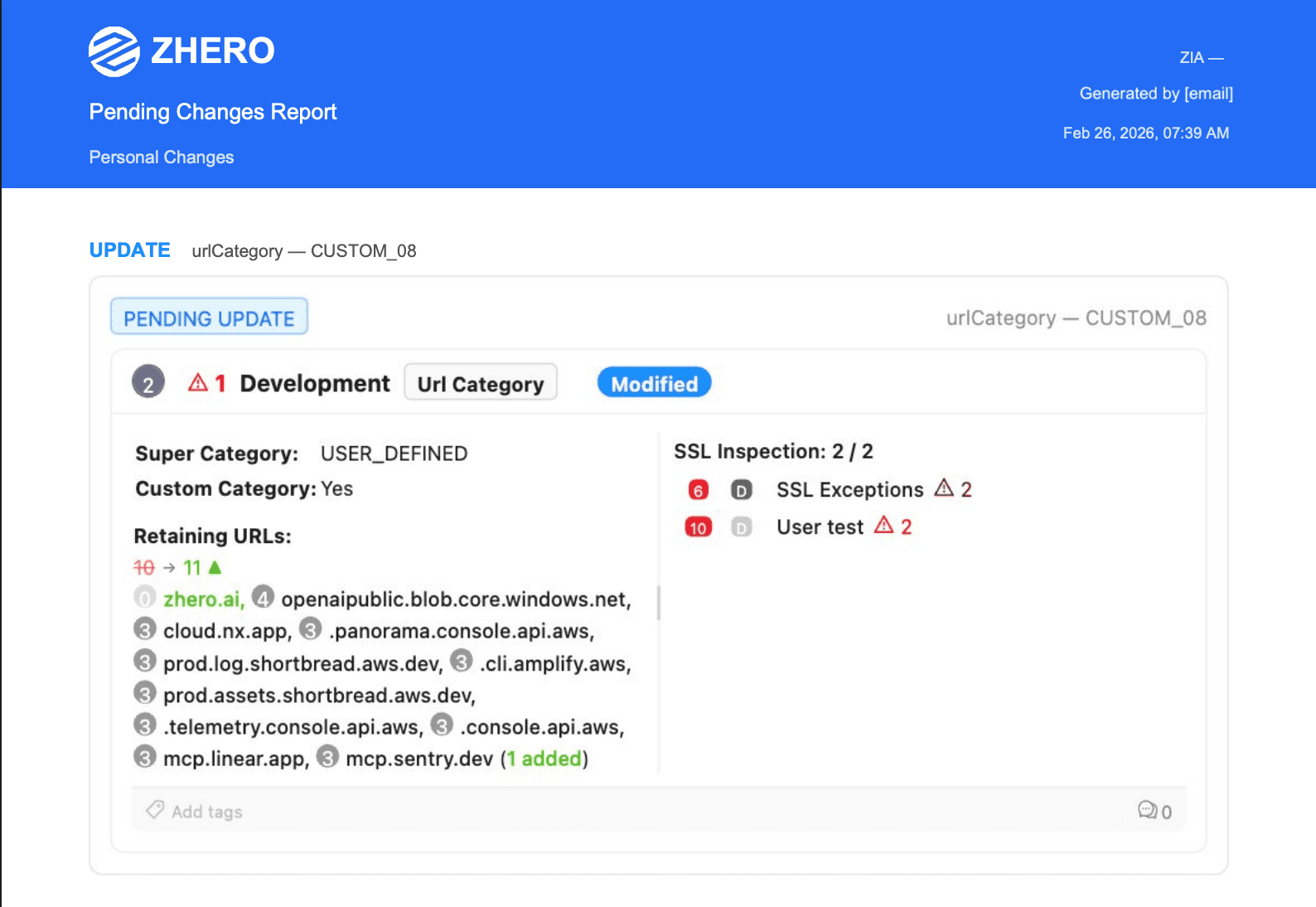
Pending Changes PDF
Change documentation, ready to hand off
Visual before and after diff cards with author attribution and a complete change summary: stakeholders without ZHERO can review and approve changes, with a documented audit trail.
ZPA Diagnostics exports
Raw ZPA logs, one click to Excel
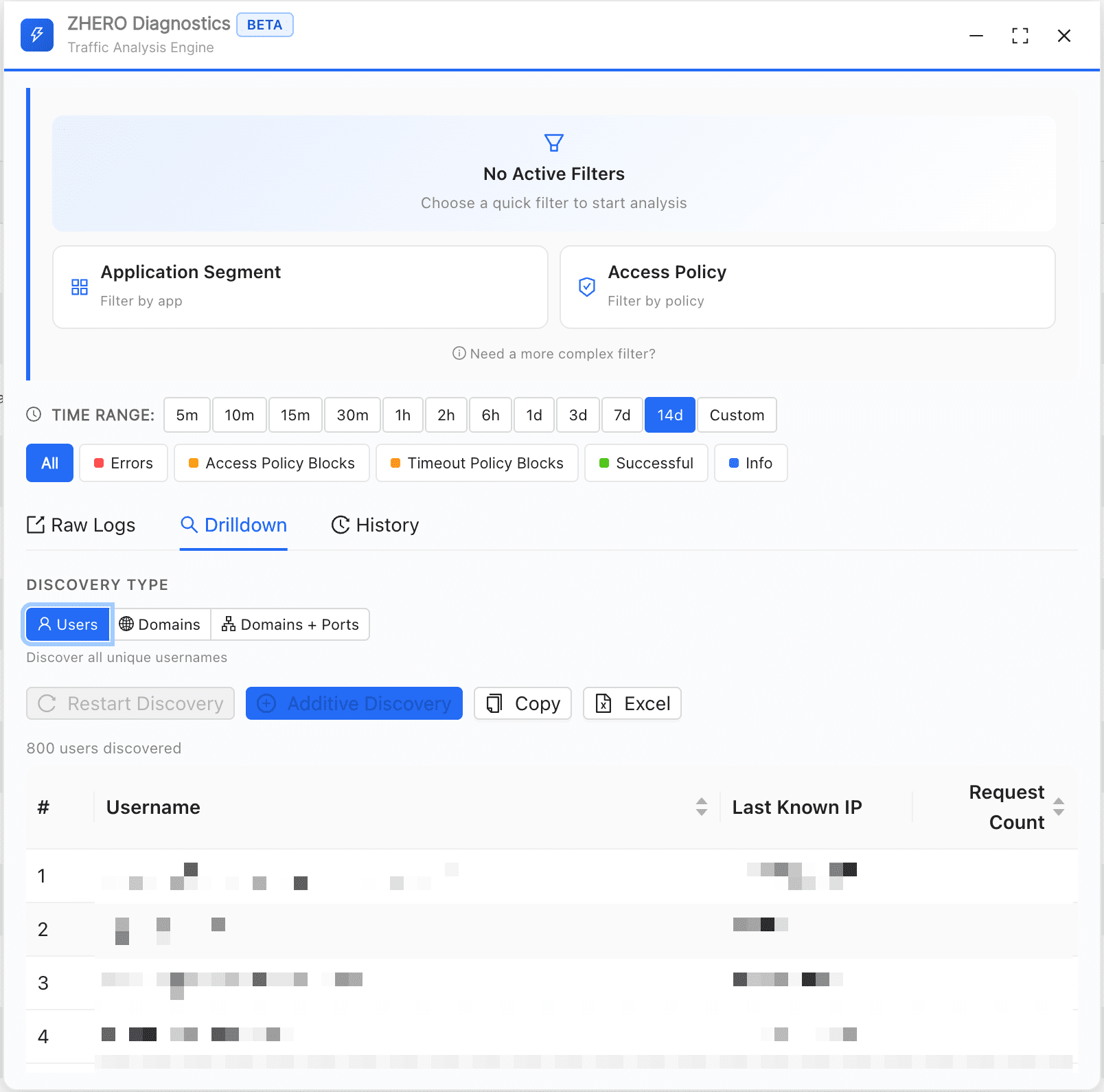
From any ZPA diagnostic search, drill down by users, domains or domain:port combination, then export the result to a formatted Excel in one click. Exports run in the background with a notification when ready, so you can keep working. Run a wildcard segment weekly and you build a traffic picture beyond ZPA's 14-day log window. The engine that powers these drilldowns lives on Investigation & Diagnostics.
- User drilldown: every user matching your filter, with access counts
- Domain and domain:port drilldown: essential for tightening discovery wildcards
- Raw diagnostic logs, exported straight to Excel
- ZIA and ZPA log tables: export all rows or only the rows you filtered
From console to handoff in three steps
Step 1
Navigate
Open the area you want to document: URLs, locations, firewall rules, SSL inspection, ZPA policies, application segments or pending changes.
Step 2
Export in one click
Pick a saved template or customize columns on the spot, then click Export. ZHERO compiles configuration, usage and traffic data into a professionally formatted file.
Step 3
Share
Hand the Excel or PDF to the team that needs it: networking, audit, endpoint, capacity planning or executives. Filters and formatting are already done.
Without ZHERO vs With ZHERO
Nobody knew which of 290 locations were still active. One export added a single column, traffic volume over the last 30 to 180 days, and 180 came back at zero. 62% of the configuration was obsolete, surfaced in minutes and handed to the networking team as a spreadsheet.
Questions, answered
Which exports are available?
Can I add traffic data to exports?
Does my configuration data leave the browser?
Can I customize what goes into an export?
What formats do exports use?
Do exports cover ZPA as well as ZIA?
Advanced Exports in action
Watch a 4-minute demo.
Ready to see Advanced Exports in your tenant?
Start Your Transformation!
Install in two minutes. No servers, no migration, no training.