Master Zscaler
Private Access.
ZHERO adds a Configuration Intelligence layer to ZPA: visual access policies, automated analysis, domain management at scale and exportable diagnostics, all inside the console your team already lives in.
What ZHERO adds to the ZPA console
Nested AND / OR conditions render as visual structures. Every user, group, posture profile, platform and trusted network is clickable, so you drill from policy to entity in one click instead of memorizing IDs.
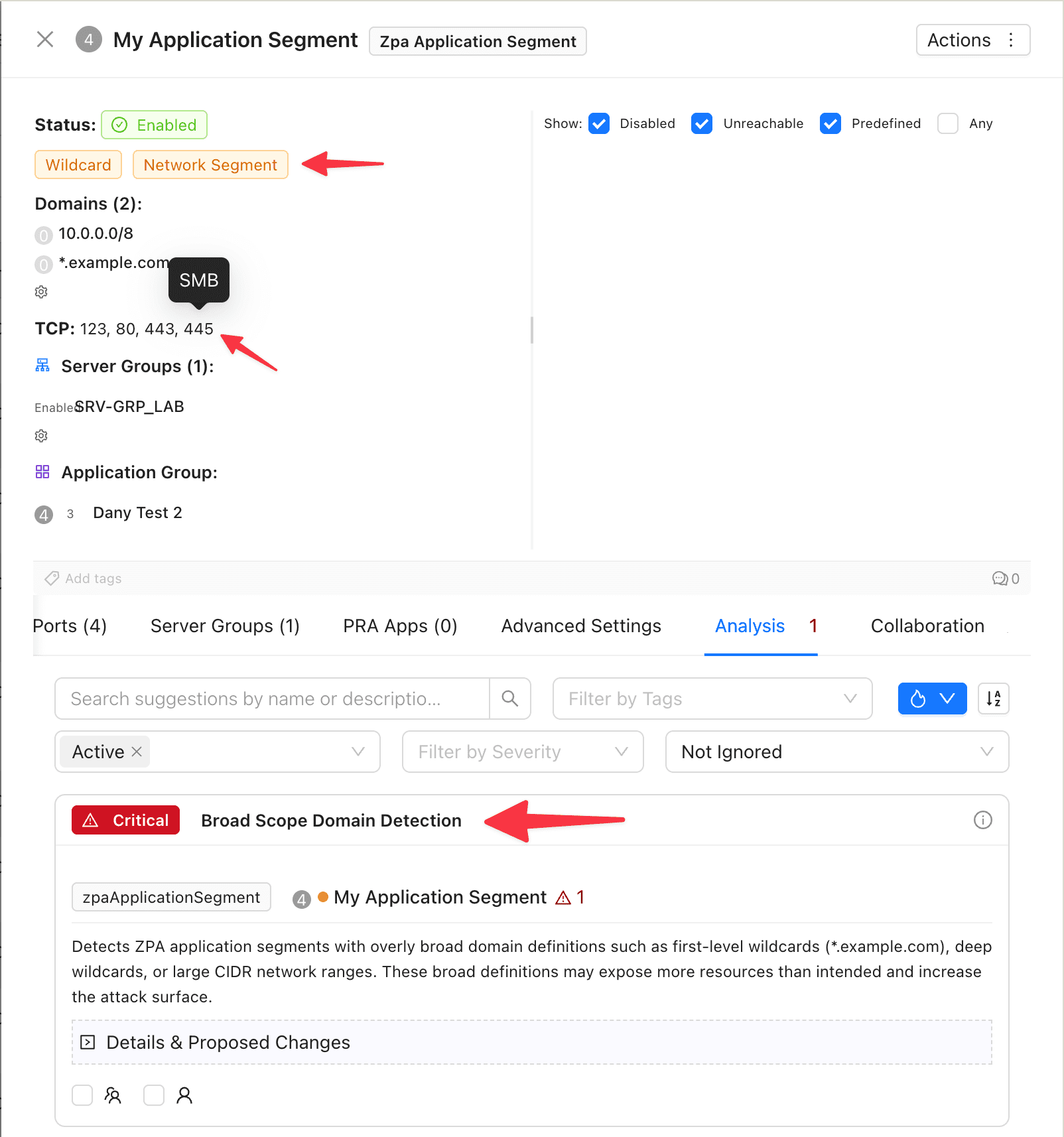
Wildcard detection, segment matching that follows your Multimatch setting, port to service mapping, URL source tracking (ZIA, ZPA or both) and CIDR labeling turn every Application Segment into a readable map of what it actually exposes.
Bulk edit, bulk delete, move, copy and clone domains across Application Segments, with automatic multi-match conflict detection before anything is applied. Hours of manual work become minutes.
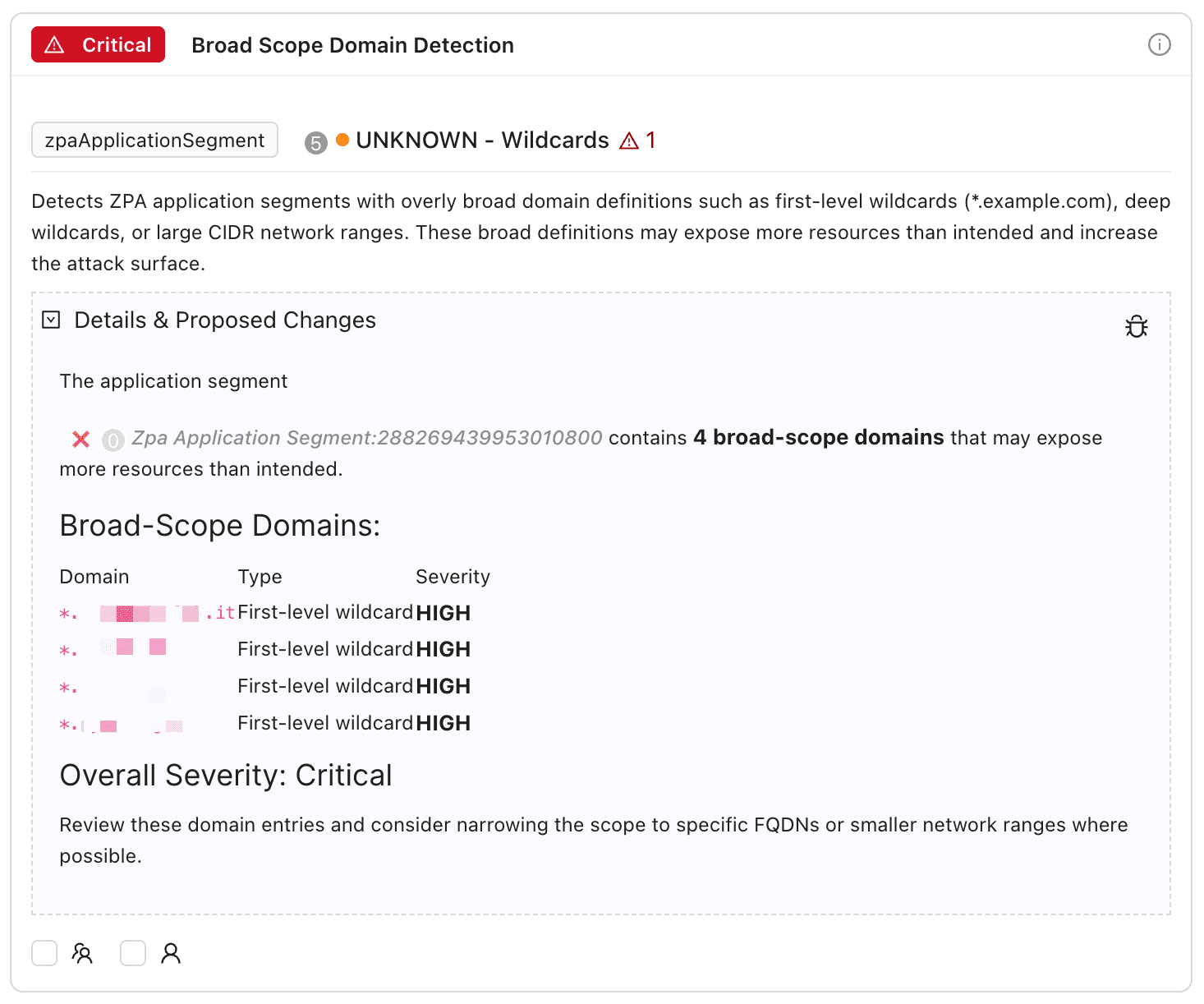
Analysis templates check your tenant for catch-all rules, overly broad segments, unreachable policies and unused entities. Every finding comes with severity, explanation and remediation guidance.
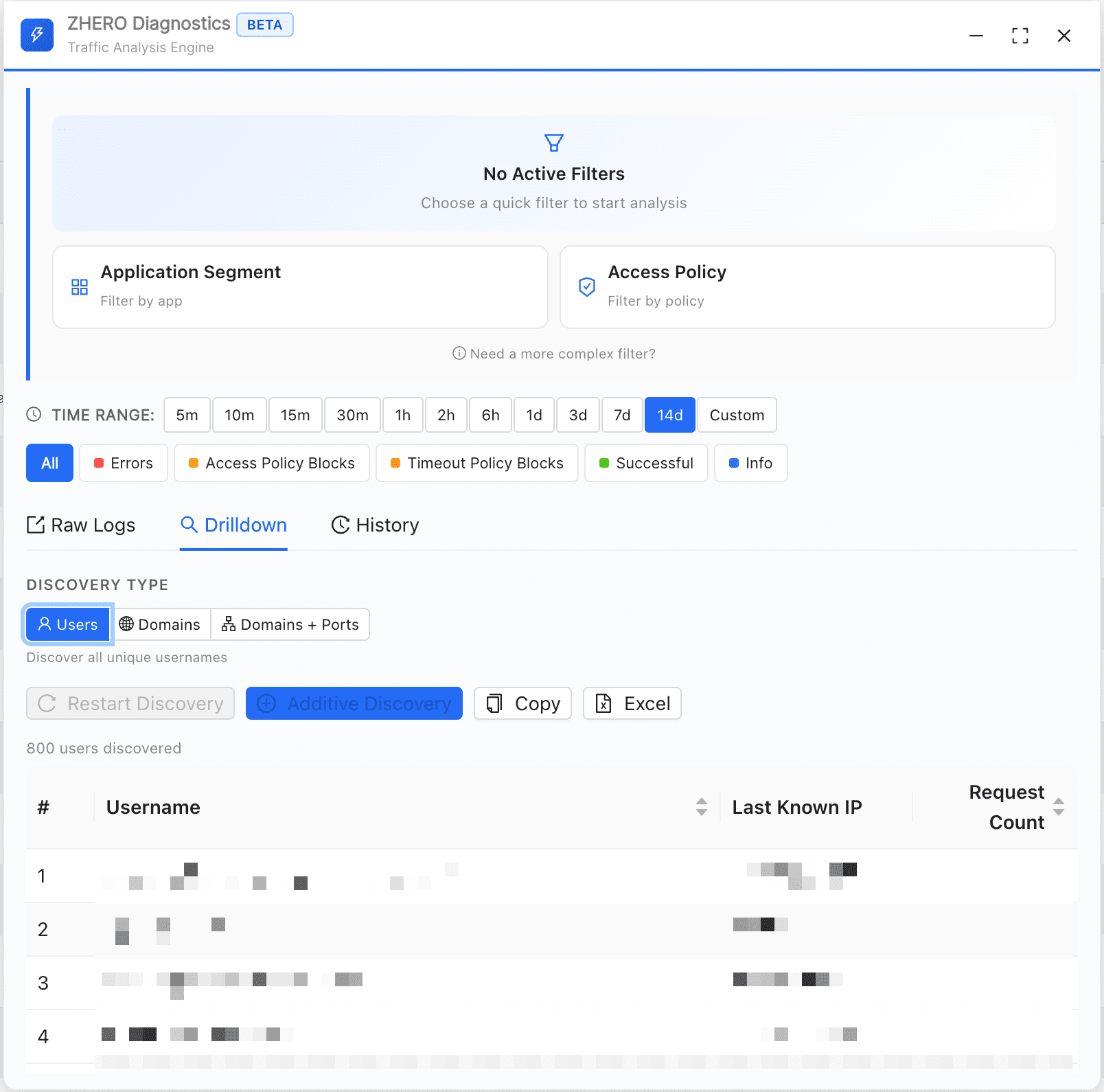
Turn raw ZPA diagnostic data into multi-dimensional drilldowns: users, domains and domain:port combinations, exportable to Excel in one click. Shipped in beta and being refined.
Stage supported ZPA changes such as segment domains, review advanced diffs, share pending changes with your team and export a PDF for approval, before anything touches production.
Visibility
See what your ZPA configuration actually means
ZPA access policies combine users, groups, posture profiles, platforms and client types in nested AND / OR conditions, while Application Segments link to server groups, connector groups and domain lists in a web of dependencies. The native console shows what you configured; ZHERO shows what it means. Policies become visual bracket structures, every entity becomes a clickable card, and segments are enriched with wildcard, port and source intelligence. It works wherever your admins already work, including the unified Zscaler Experience Center, and it is privacy-first by design: Zscaler is called only from your browser, and ZHERO's servers cannot read or change your tenant. Dive deeper in Enhanced Visibility.
Analysis
Keep private access clean and defensible
Analysis templates built specifically for ZPA scan your configuration for weak configurations and hygiene issues: catch-all access rules, segments exposing unintended resources, policies shadowed by higher-priority rules and entities no policy references. Each finding includes severity, an explanation and remediation guidance, so configuration debt stops accumulating silently. See how it works in Smart Analysis and Security Posture.
Zero Trust
Measure your progress toward Zero Trust
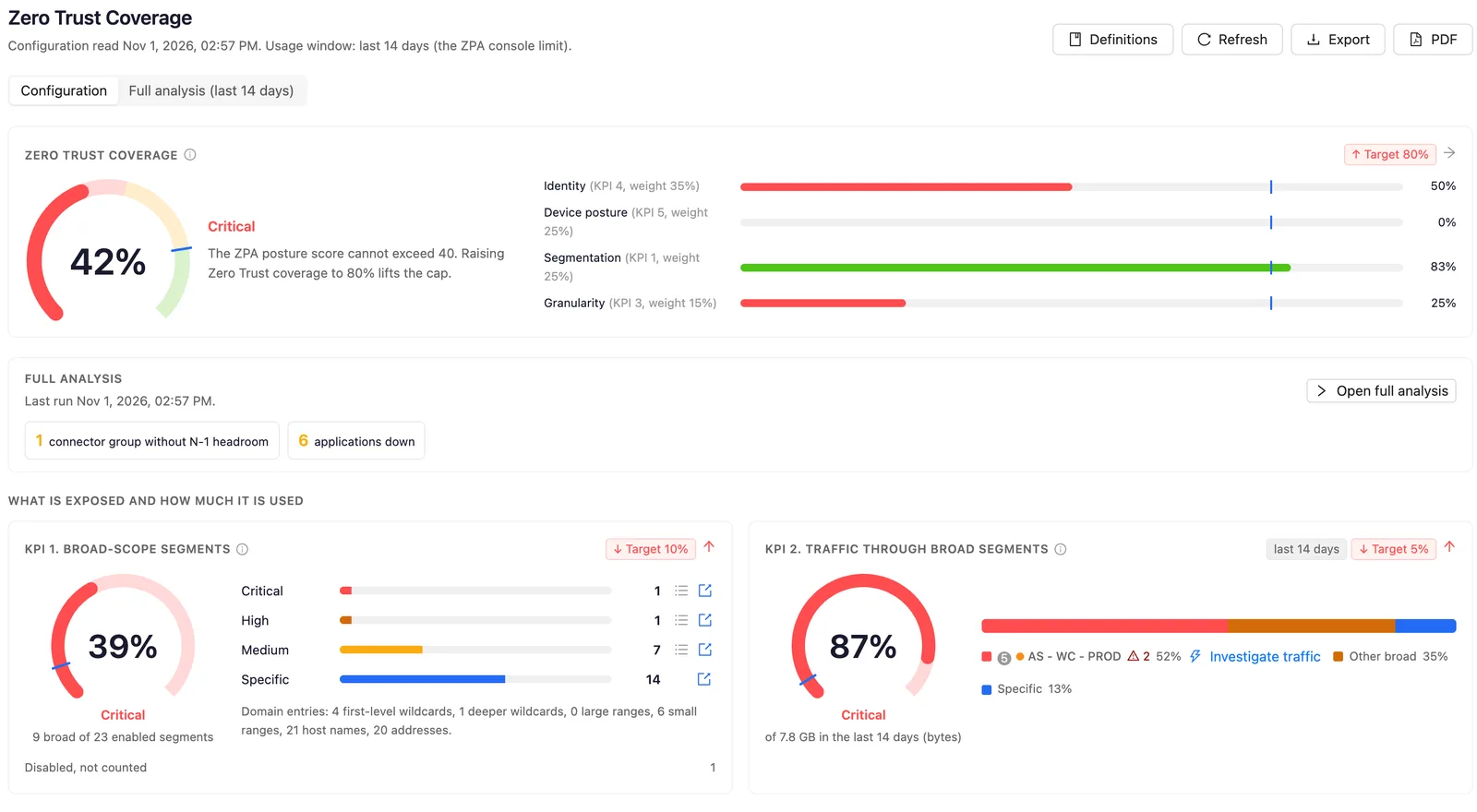
Zero Trust Coverage, in the ZPA tab of the Dashboards drawer, turns your ZPA configuration into a Zero Trust index and its KPIs, each on a banded gauge with its verdict and what to do next. Run it for the full picture: broad and unused segments, connector health and day by day trends, with a PDF that explains how to read every section. The index counts in your ZPA score, so a low result caps it. The Usage tab in segment and access rule drawers shows who uses them and how, to spot least privilege gaps one object at a time. See it in Security Posture.
Diagnostics
Investigate faster, share everything
The ZPA diagnostics engine, shipped in beta and being refined, turns raw diagnostic data into answers: drill down from any search to the users, domains and domain:port combinations behind it, then export the result to Excel in one click. A floating panel runs searches in the background while you keep working, and every search is saved for one-click restore. In the Troubleshooting Engine, ZPA sits next to ZIA: the same scenario gets a ZPA verdict, from the application segment that matches to the Client Forwarding and Access policies that decide. Full configuration exports (Access Policies in flat or expanded mode, Application Segments with reusable templates) complete the picture. Explore Investigation & Diagnostics and Advanced Exports. Next, we are building ZHERO AI: ask your configuration a question in your own language, across ZIA, ZPA and Client Connector.
Change & collaboration
Change ZPA with confidence, as a team
Manage segment domains in bulk with conflict detection, then stage the supported changes in a pending queue, review an advanced diff of exactly what will change, and share the proposal with your team in real time, with a PDF export for review meetings. Tags, comments, a collaboration dashboard and an audit history that shows ZPA changes field by field keep every decision documented and accountable. Learn more in Change Management and Collaboration.
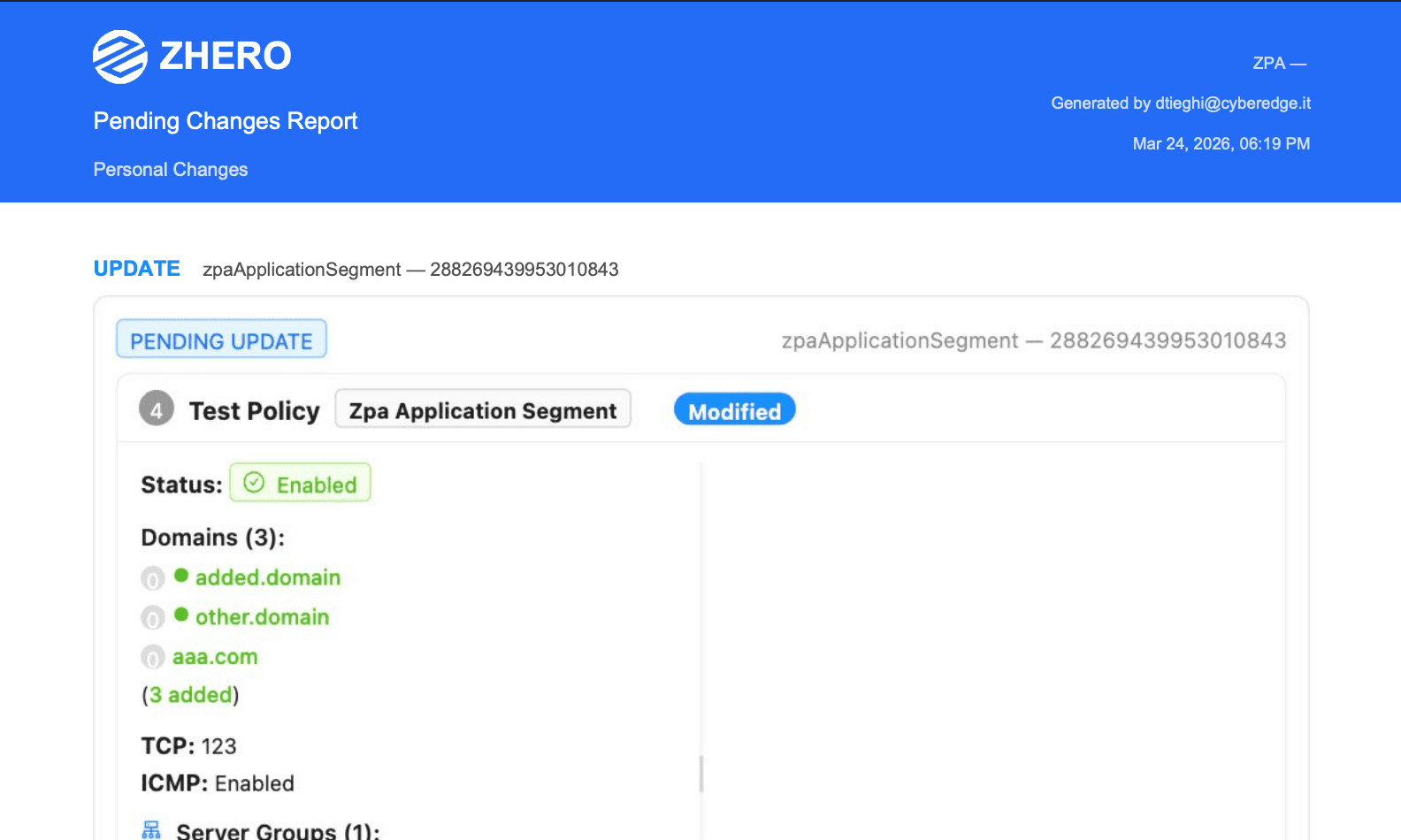
ZHERO on ZPA
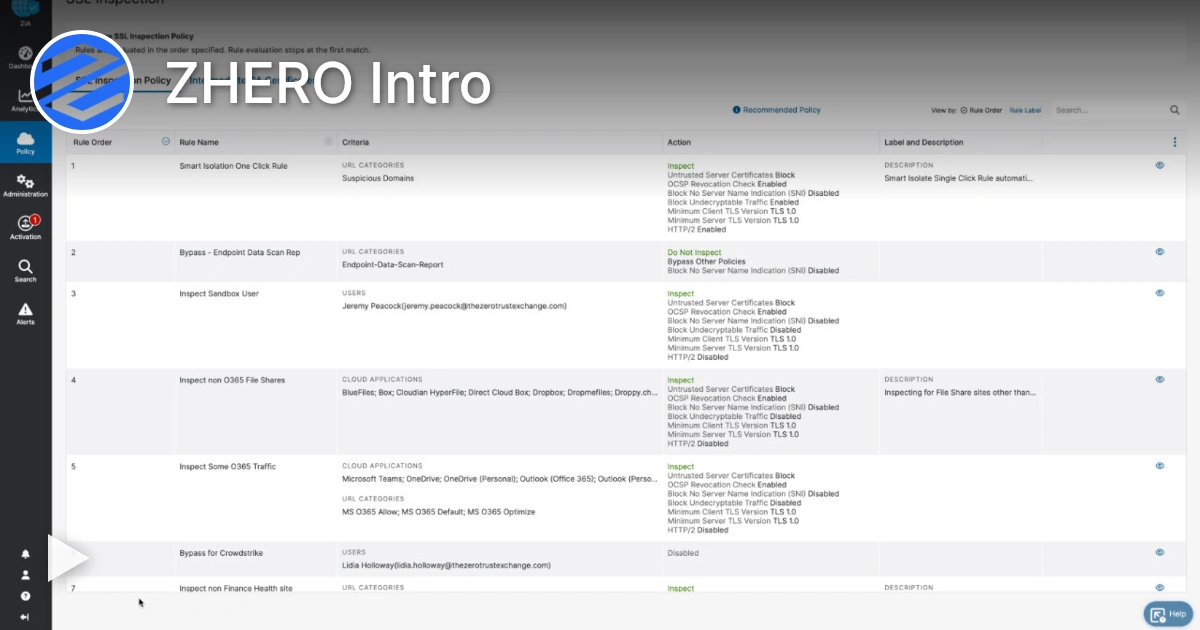
Watch a 5-minute demo.
Ready to master Zscaler Private Access?
Install ZHERO from the Chrome Web Store or Microsoft Edge Add-ons and see your ZPA configuration clearly in about 5 minutes.