Team Collaboration Turn Zscaler administration into a team sport.
Zscaler environments are managed by teams, yet critical context often lives in one admin's head. ZHERO adds shared context on every entity, shared to-do lists that live next to your policies, a real-time synchronized queue of pending changes, and a complete audit trail. Individual work becomes governed team work.
Individual work becomes governed team work.
Team intelligence, layer by layer
Team Collaboration turns ZHERO from an individual productivity tool into a governance platform for the whole team. Context lives on the entity instead of in someone’s head, changes are visible to everyone before they happen, and the audit trail with before and after snapshots makes compliance evidence one export away.
Shared to-do lists
The next best thing to a project manager, inside the console
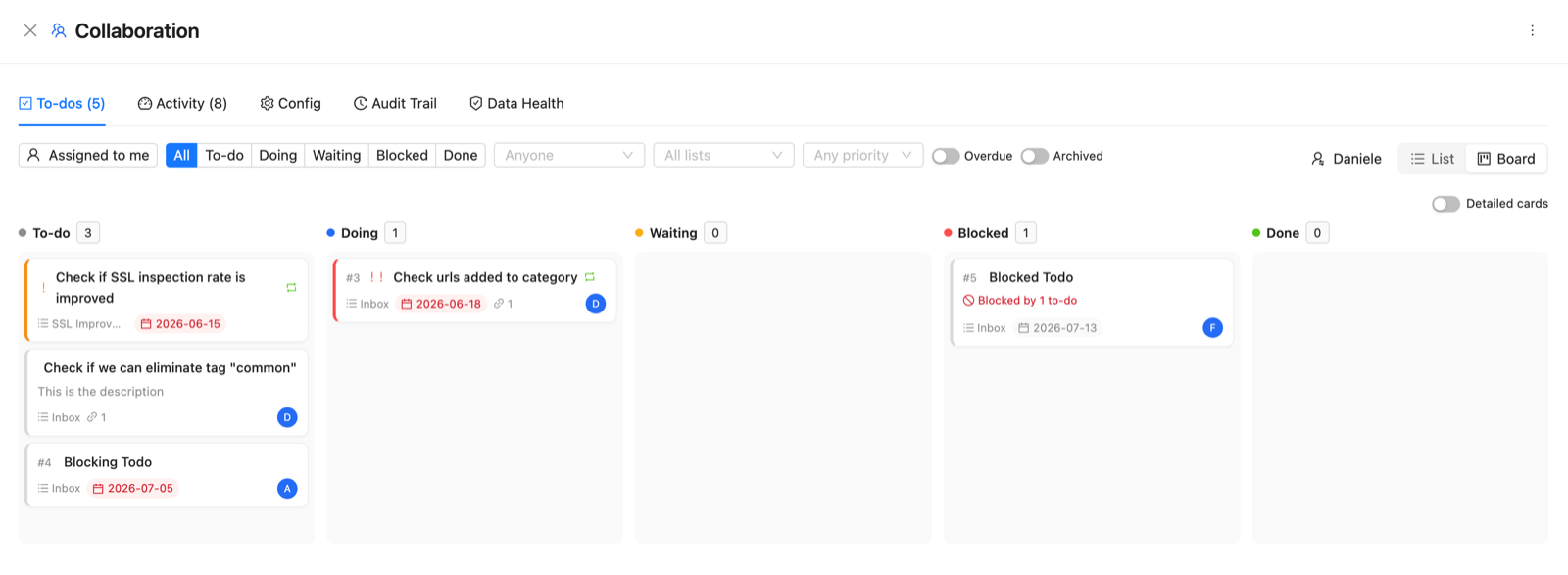
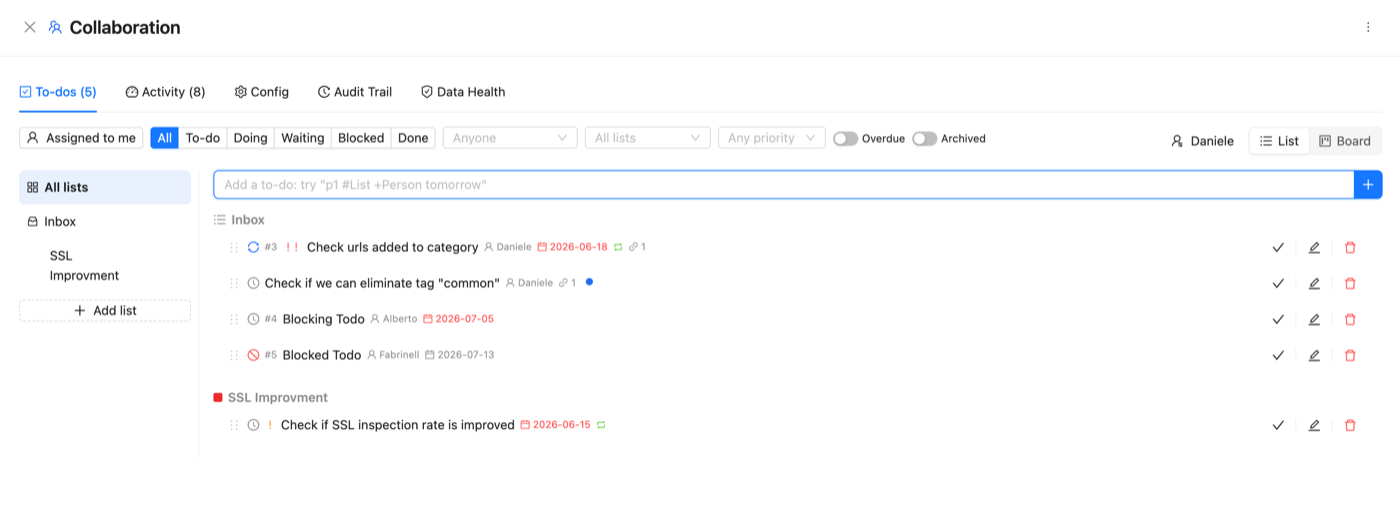
Remediation stalls when nobody tracks who owns what between calls. ZHERO puts shared to-do lists where the work actually happens: every to-do links the exact policies and entities it is about, and those entities show a badge wherever they appear in the console, so the right context is right there. Assign work to console admins or to external people by name, organize lists by workstream, set priorities, due dates and recurring checks, and switch to a kanban board with blocker tracking when you need the big picture. A finding from Smart Analysis becomes a to-do with one click, so remediation you spot turns straight into tracked work.
Shared context
The "why" lives on the entity
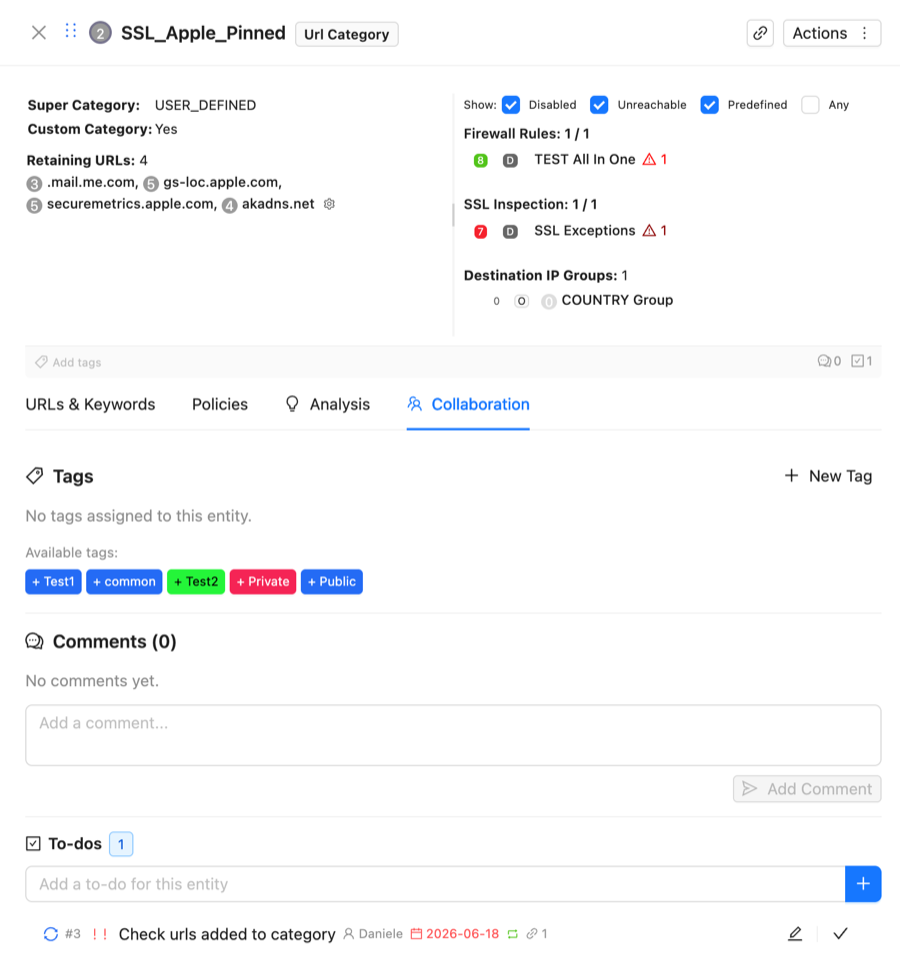
Open the Collaboration tab on any Zscaler entity to tag it, discuss it in threaded comments with author attribution, and pin a to-do to it, all inline in the console. The reasoning behind every configuration, and the work still owed on it, stays on the entity itself, not in someone's head or a forgotten ticket.
From private note to tracked, documented change
Step 1
Annotate and assign
Add tags, threaded comments and to-dos directly on any Zscaler entity: policies, locations, segments and more. Assign the work to console admins or external people, set priorities and due dates, and every note carries its author.
Step 2
Share
Stage changes in your personal queue, then promote them to the shared team queue with one click. Real-time synchronization keeps every admin's view current.
Step 3
Review together
The Collaboration Dashboard shows team activity grouped by entity, alongside the shared to-do board. Filter by author, date or action, monitor data health, and jump straight to any entity with open work or pending changes.
Step 4
Document
Export proposed changes as a PDF with visual diff cards, or pull the full audit trail to Excel with before and after snapshots for compliance documentation.
From individual tool to team platform
ZHERO moves Zscaler administration beyond individual silos to a unified, governed platform.
Annotate any Zscaler entity with context-rich tags and threaded comments.
To-dos linked to entities, assigned to admins or external people, with due dates, recurrence and a kanban board.
A dual-queue system with real-time sync and conflict resolution.1
A central hub for team activity, open work, and recent changes.
A complete log with before-and-after snapshots, exportable for compliance.
Branded reports for approval workflows and compliance.
Without ZHERO vs With ZHERO
Questions, answered
How do shared to-do lists work?
Do to-dos send email notifications or connect to Jira, ServiceNow, Slack or Teams?
Where are tags and comments saved?
Does my Zscaler configuration leave the browser?
How does the shared pending changes queue work?
Can comments be moderated?
Can I use this for compliance or management reviews?
Team Collaboration in action
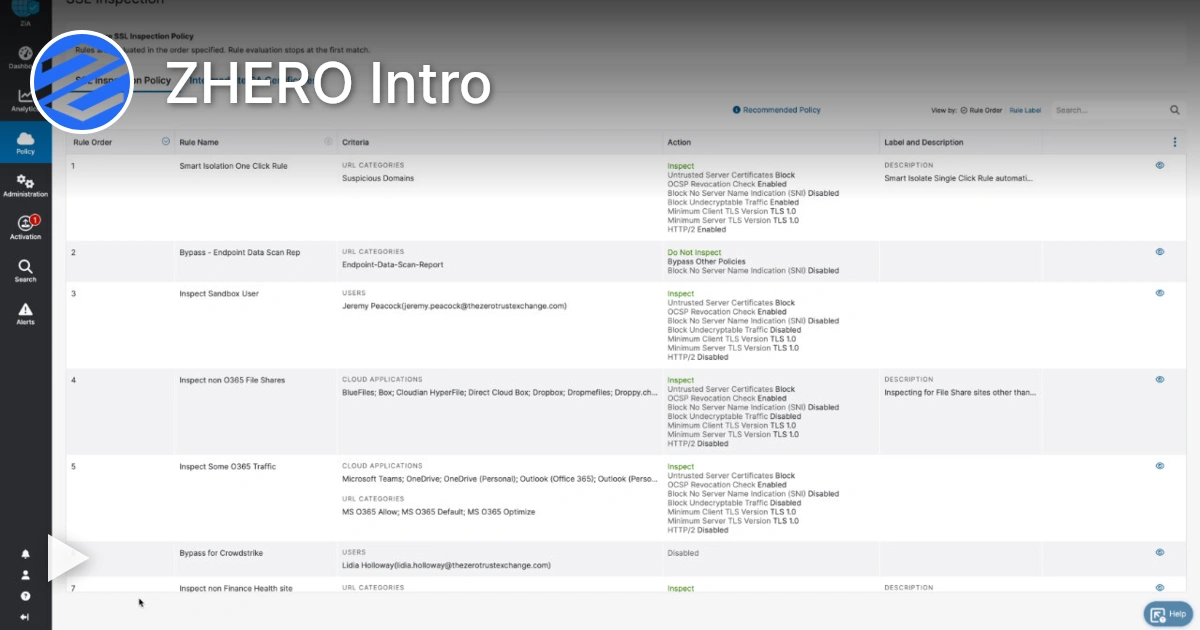
Watch a 4-minute demo.
Ready to see Team Collaboration in your tenant?
Start Your Transformation!
Install in two minutes. No servers, no migration, no training.