NewSecurity Posture is GA: a score your board can readRead the post
Feature · Change Management

Change Management Preview every change before it goes live.

ZHERO's Pending Changes Engine stages the edits it supports in a queue, shows you the exact diff, and touches Zscaler only when you decide. No more fear of breaking production.
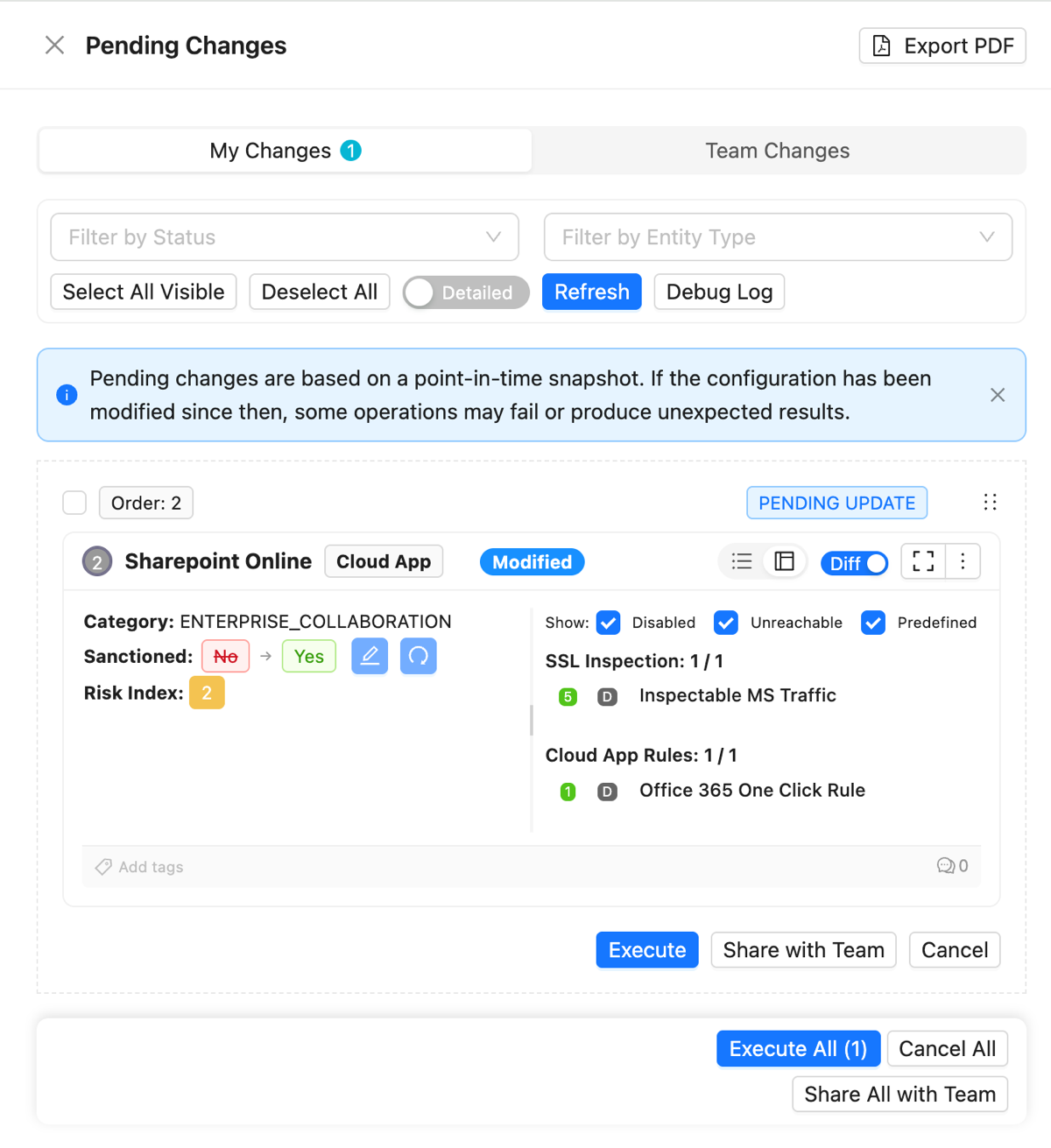
ZHERO Pending Changes queue with a Cloud App marked from unsanctioned to sanctioned, its before-and-after diff, order badge and per-change Execute, Share with Team and Cancel controls

~60% fewer configuration errors with staged changes and pre-commit validation.

Why it matters

A safety system between you and production

Feature
Pending changes queue
Benefit
Every edit accumulates in ZHERO's staging queue, not in Zscaler, with filtering by change or policy type and reordering for the right application sequence
Outcome
Batch related changes and apply them as one controlled, reviewed operation
Feature
Advanced diff visualization
Benefit
Before and after views with highlighted differences, shown in the context of your full configuration
Outcome
Know exactly what will change before anything reaches production
Feature
Shared Pending Changes
Benefit
A personal staging area plus a shared team queue, synced in real time, with author attribution and automatic alerts when two admins touch the same entity
Outcome
Multiple admins work on the same tenant without overwriting each other
Feature
Selective application
Benefit
Apply everything at once, cherry-pick specific changes, defer some for later, or remove them with zero impact
Outcome
Ship what is ready and hold what is not, on your schedule
Feature
Professional PDF export
Benefit
One-click PDF with visual diff cards and a complete change summary
Outcome
Stakeholders review proposed changes without needing console access

Every Zscaler change carries risk: one wrong edit can break user access or open a gap. Change Management removes the leap of faith by putting a staging queue, a visual diff and a deliberate apply step between your edits and production. You keep the native consoles for everything else; for the changes ZHERO supports, you never fly blind again.

Safety net

Catch conflicts before activation

ZHERO's real-time safety net flags unreachable policies and entities before a change is activated, so errors surface at the point of configuration, not during incident response.
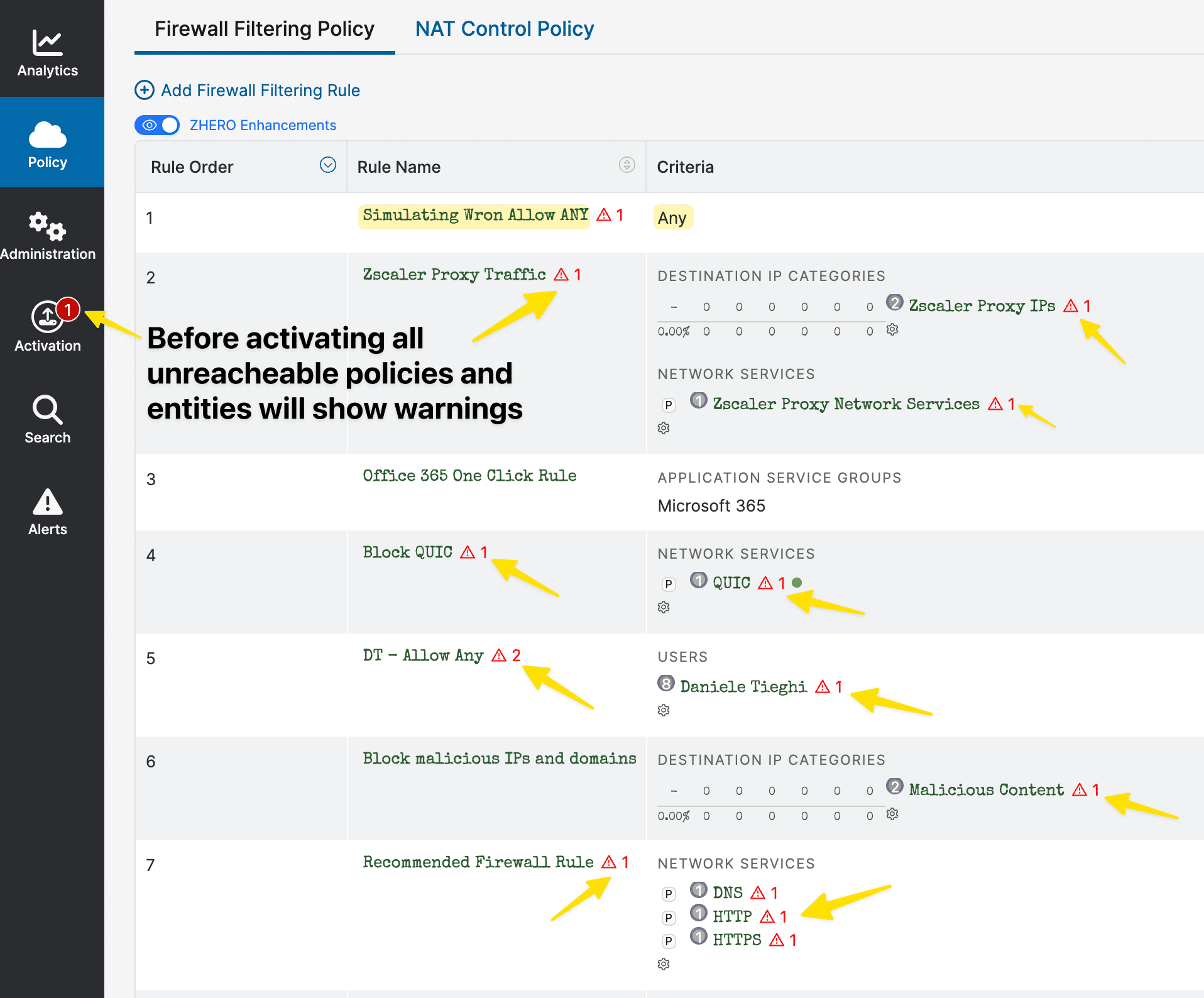
ZHERO real-time safety net flagging unreachable policies and entities before activating a change in the ZIA console

Stakeholder review

Documentation your stakeholders can read

One-click PDF export with visual before and after diff cards and a complete change summary: stakeholders review proposed changes without needing console access.
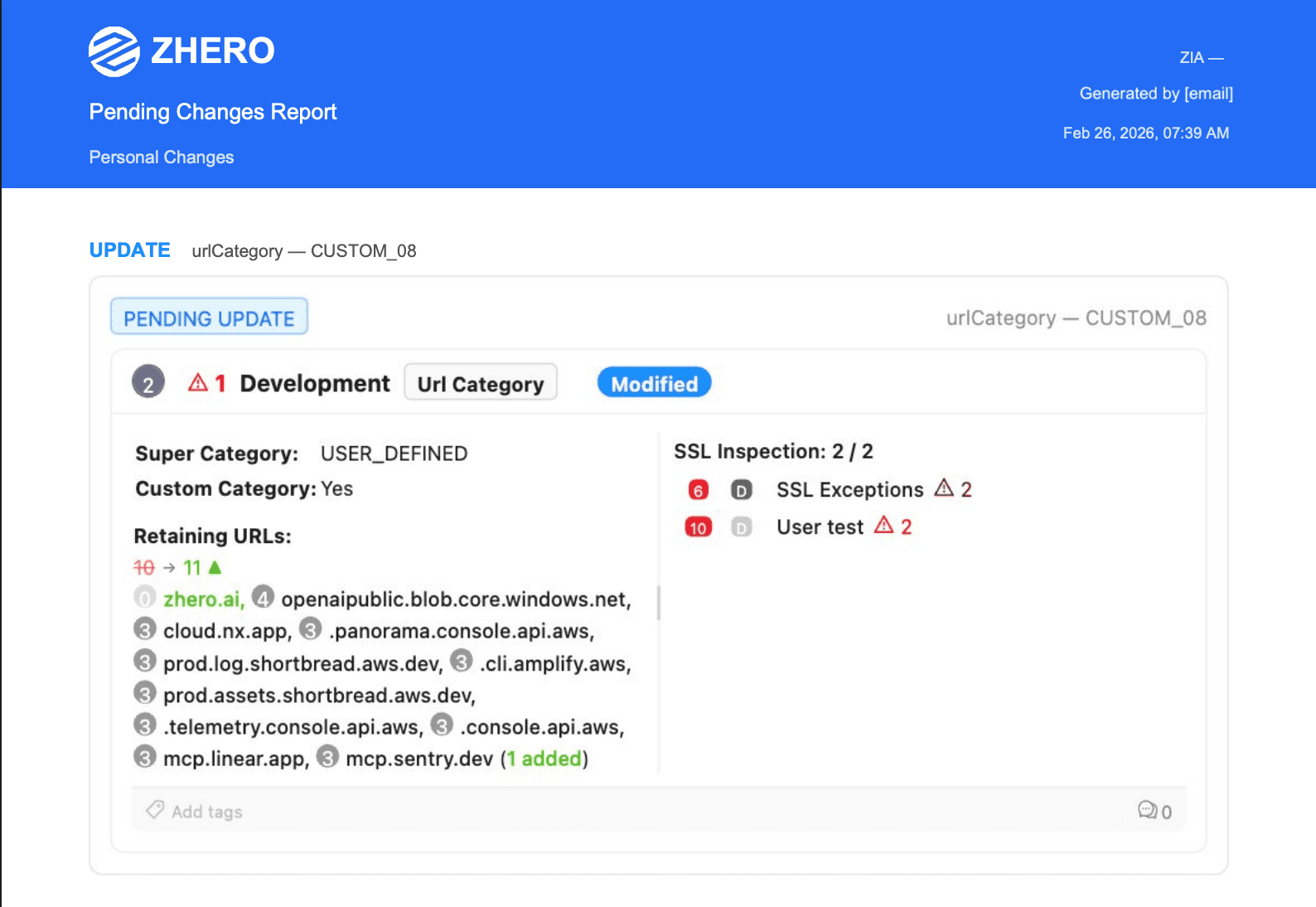
ZHERO pending changes report exported as a branded PDF with entity snapshots and category diffs
How it works

From edit to production in four safe steps

Step 1

Stage

Make your edits in ZHERO, directly or by accepting suggested changes from analysis templates. Everything lands in the pending queue; nothing touches your Zscaler configuration yet.

Step 2

Review the diff

For every pending change, see the current configuration, the proposed configuration, and the highlighted differences, with affected policies and entities in full context.

Step 3

Share

Promote changes from your personal queue to the shared team queue1, or export a PDF with diff cards for stakeholders. Conflict detection flags overlapping edits before they become a problem.

Step 4

Apply safely

Apply all changes at once or select just the ones that are ready. Anything you are not sure about can be deferred or removed without impact. Executed changes leave an audit trail.

The edits you can stage and apply through ZHERO today

ZHERO covers the high-frequency, high-risk edits, and applies them only after you have reviewed the diff. The list keeps growing, with many more change types on the way.

URLs in URL categories

Create, edit and remove URLs inside any URL category.

Application segments

Add, edit and remove domains and IPs in ZPA application segments.

Cloud app status

Toggle cloud apps between sanctioned and unsanctioned.

Policy reordering

Reorder policies in bulk with drag and drop.

Template remediations

Apply the fixes proposed by analysis templates in one step.

Without ZHERO vs With ZHERO

Without ZHERO
With ZHERO
Applying an edit
Every change goes straight to production
Changes wait in a staging queue until you decide to apply them
Impact preview
No cumulative view of what a batch of edits will do
Visual diff with before, after and highlighted differences
Second thoughts
Undoing means reconstructing the previous state by hand
Remove or defer any pending change before commit, with zero impact
Team coordination
Admins can overwrite each other's work without knowing
Shared queue with real-time sync, author attribution and conflict alerts
Stakeholder review
Screenshots and ad-hoc notes
One-click PDF with visual diff cards and a complete change summary
FAQ

Questions, answered

What can I actually change through ZHERO?
ZHERO focuses on the high-frequency, high-risk edits: URLs and URL categories, ZPA FQDNs and application domains, policy reordering, and marking applications as sanctioned. It is not a replacement for the native admin consoles, and it does not try to be a full configuration editor. Its value is that everything it does change goes through staging, diff review and controlled application.
Does my configuration data leave the browser?
By default it stays: ZHERO is browser-based, it works through your existing Zscaler admin session, and your configuration is processed locally, not transmitted to ZHERO servers. There is one scoped exception, Shared Pending Changes. When you share a change to the team queue, the affected configuration is necessarily synchronized through ZHERO servers, isolated per tenant, only for the duration of the sharing, so the rest of the team can see it. Once that change is applied or removed from the shared queue, it is no longer stored there. Aside from that, the only data we receive is licensing information.
Can multiple admins work on changes at the same time?
Yes. Shared Pending Changes gives each admin a personal staging area plus a shared team queue. You can promote or demote changes between the two, every update syncs in real time across the team, each change shows who proposed it, and ZHERO alerts you automatically when two admins modify the same entity.
What if I change my mind before applying?
Nothing is committed until you apply it. You can remove individual changes, defer them for later, or clear the queue entirely, all with zero impact on your live configuration. Once applied, every executed change is recorded in an audit trail.

Change Management in action

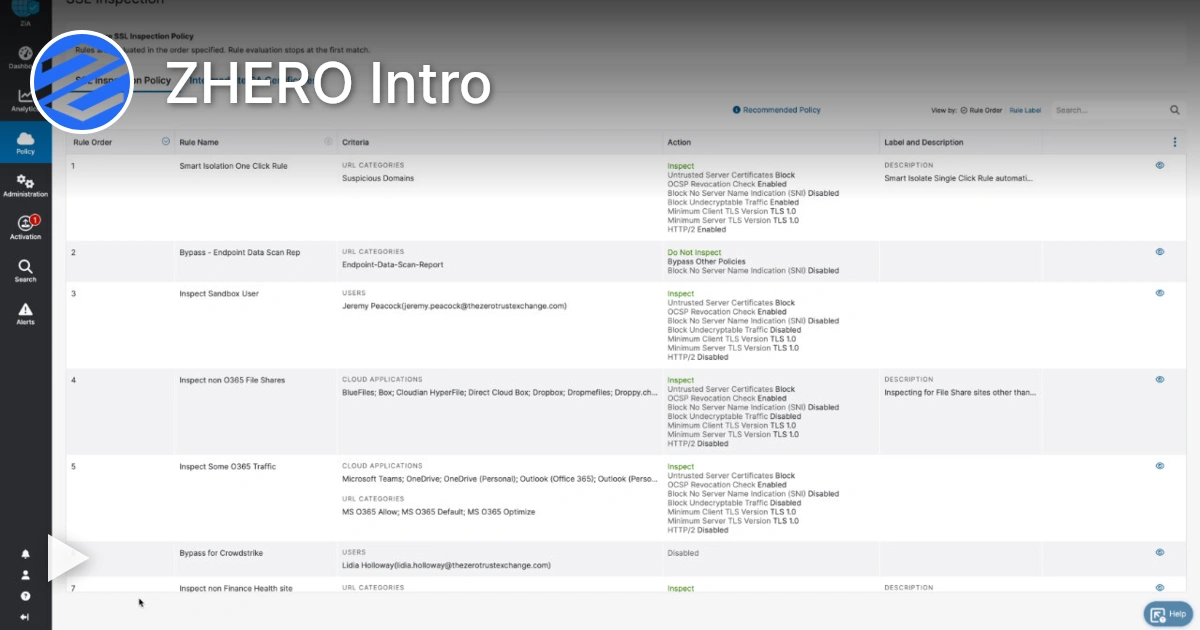
Watch a 4-minute demo.
Ready to see Change Management in your tenant?

Start Your Transformation!

Install in two minutes. No servers, no migration, no training.