Enhanced Visibility See everything, instantly.
Smart entity badges, an infinite drill-down drawer, and universal search, surfaced right inside the Zscaler console you already use every day.
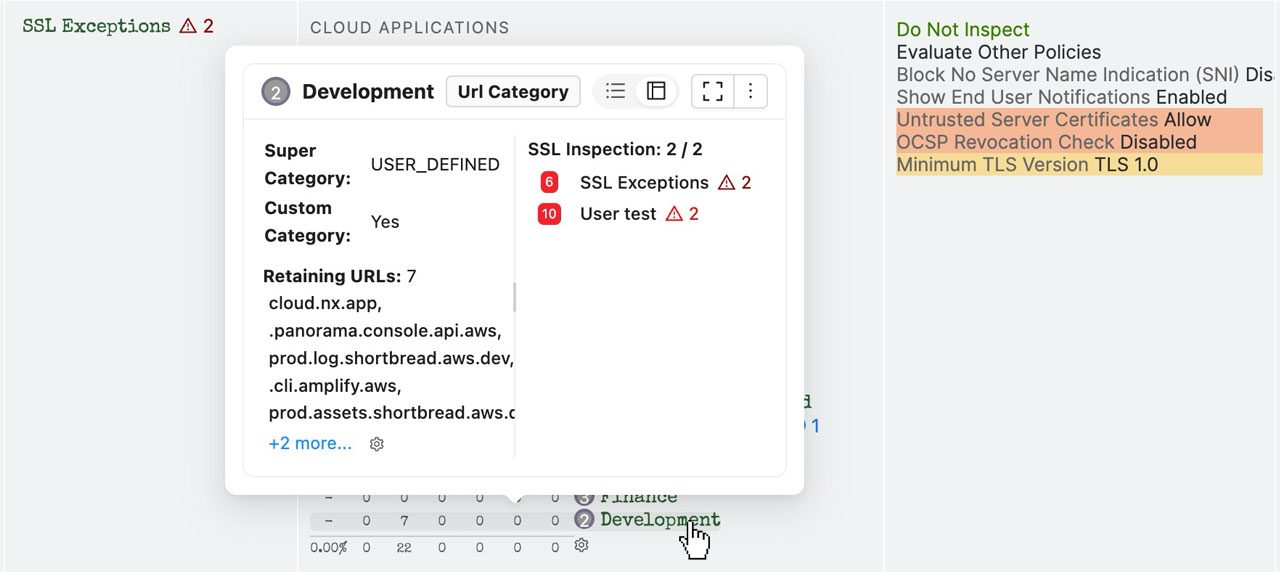
Answer "where is this used?" in 15 seconds, not 15 minutes.
From capability to measurable outcome
ZHERO surfaces context where you already work. Every entity in the Zscaler console gains a smart badge; every object opens into a drill-down drawer; and a single search box reaches across ZIA, ZPA and the Experience Center. No exports, no spreadsheets, no context switching.
Floating entity panels
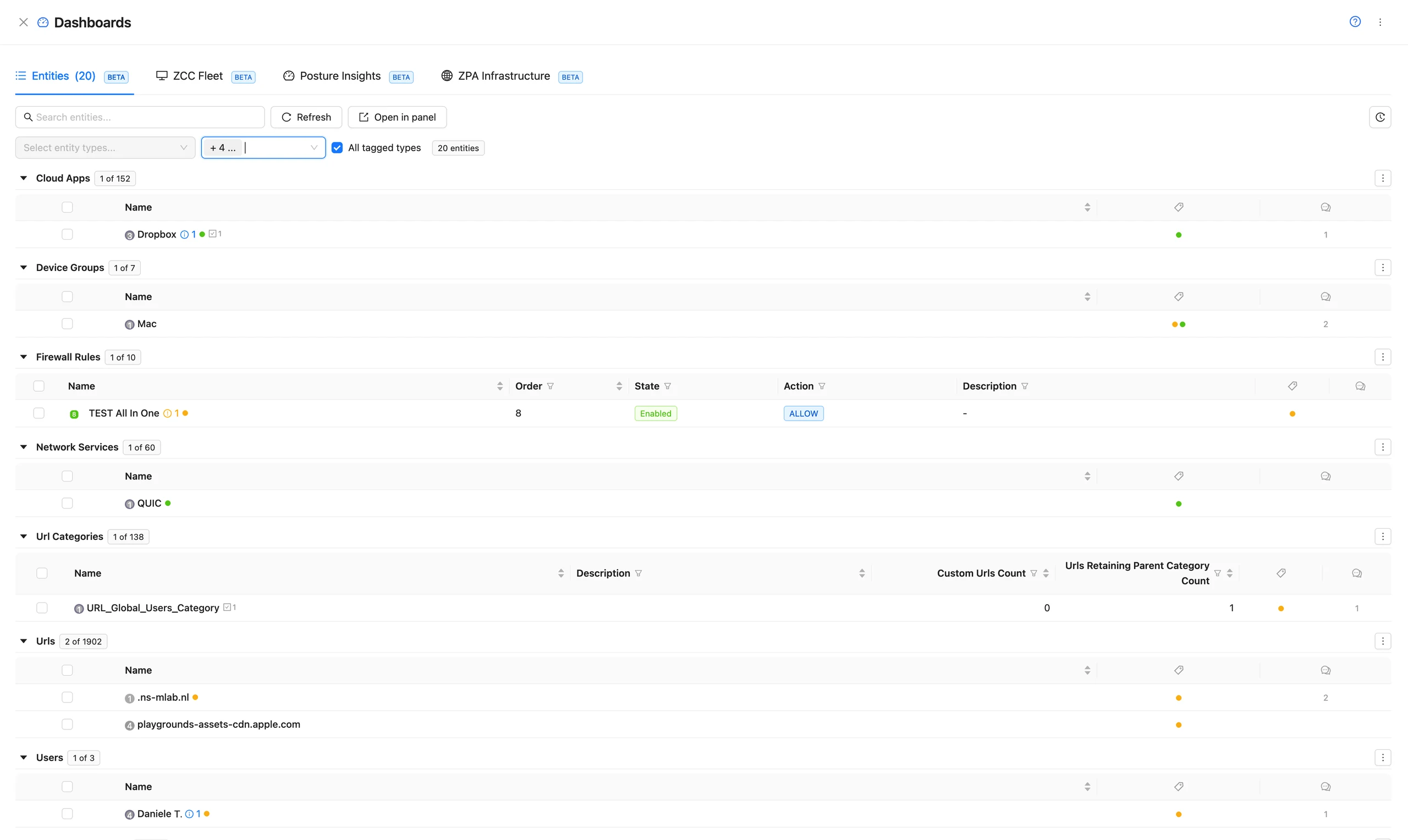
Every entity with one tag, on one page
In the Entities tab of the Dashboards drawer, pick up to five entity types, or filter by tag and let All tagged types show every type that carries it: one block per type, each with its own count and columns. Open in panel keeps the view floating over the console while you fix what it lists.
The power of universal search
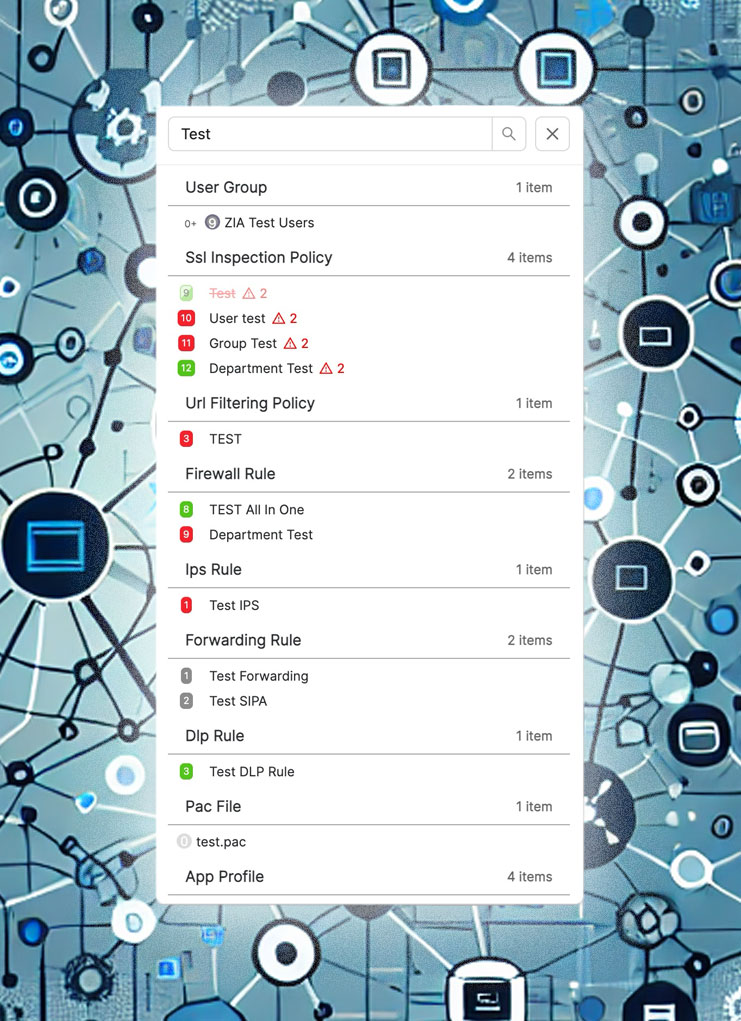
Select any entity, log line or URL anywhere in the console, then hit the shortcut: universal search opens right in place.
- 1
See a blocked URL in your logs: select it and press the shortcut.
- 2
Instantly see which categories it belongs to.
- 3
View all policies affecting it, and understand why it was blocked.
Comprehensive
All policies, entities and configs across your tenant.
Universal
Reachable from any page, including detailed logs.
Help in place
A ? in every ZHERO drawer opens a menu with the manual pages for what you are looking at, and a demo video where there is one.
Three steps, zero setup
Step 1
Install
Add ZHERO from the Chrome Web Store or Microsoft Edge Add-ons. No servers, no migration.
Step 2
Open your console
Works across ZIA, ZPA and the Experience Center, nothing to configure.
Step 3
See everything
Enhanced badges, drill-down and search appear instantly on every entity.
One feature, every role
Answer "where is this used?" instantly and troubleshoot without leaving the entity.
Spot configuration gaps across ZIA and ZPA before they become incidents.
Onboard and audit client tenants in a fraction of the time.
Questions, answered
Does ZHERO change my Zscaler configuration?
Where does my data go?
How long does it take to see value?
Does it work across ZIA and ZPA?
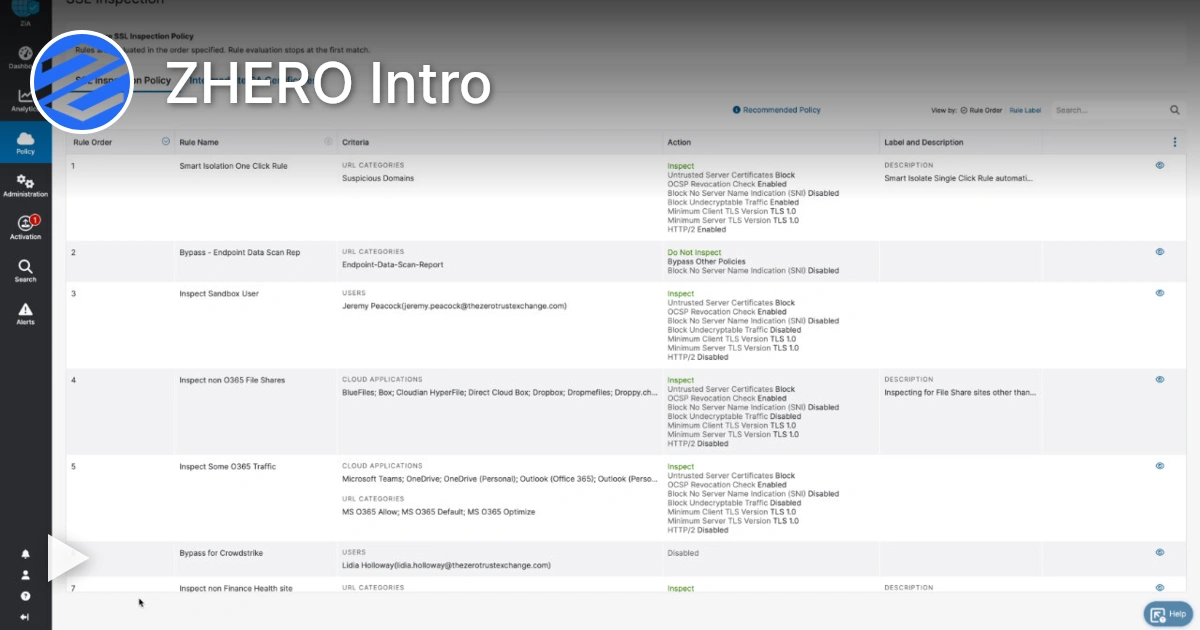
Enhanced Visibility in action
Watch a 4-minute demo.
Ready to see Enhanced Visibility in your tenant?
Start Your Transformation!
Install in two minutes. No servers, no migration, no training.