"Bypass other policies" does not only skip SSL inspection
A Zscaler Do Not Inspect rule set to Bypass Other Policies also exempts traffic from URL Filtering and Cloud App Control. How to find those rules and decide.
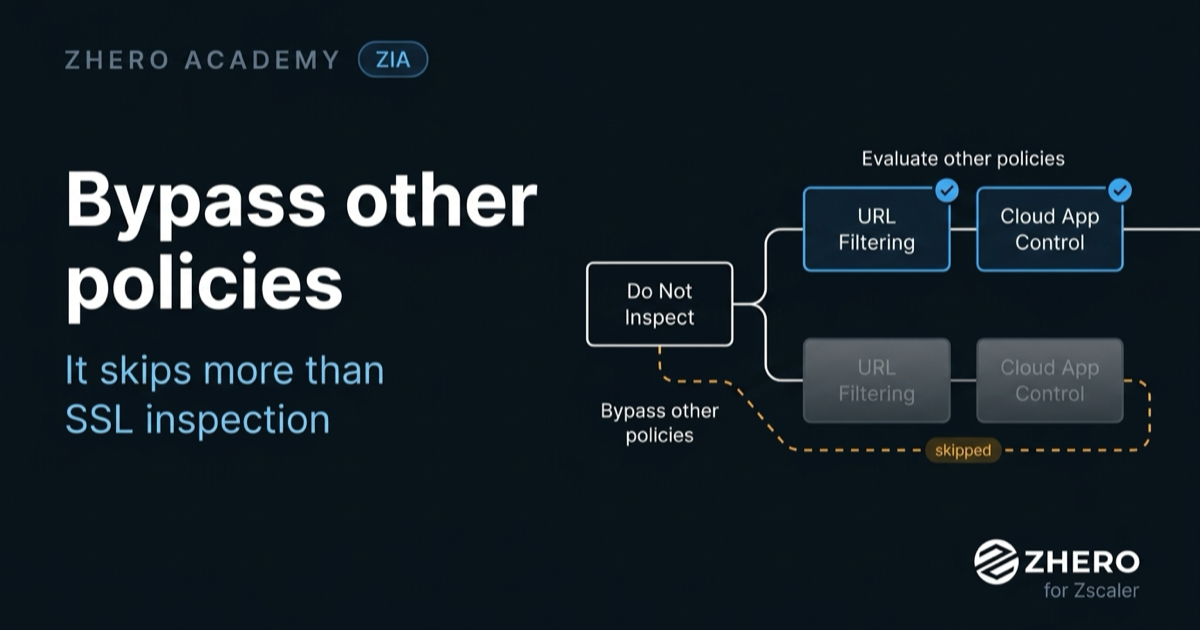
A Zscaler SSL Inspection rule with the action Do Not Inspect has two options. Evaluate Other Policies skips decryption and still applies URL Filtering and Cloud App Control on what is visible, usually the domain. Bypass Other Policies skips decryption and exempts the traffic from those policies too. Many tenants use the second where they meant the first.
A question to a room of admins#
During a training with a customer’s security team, we asked a simple question. Here is a Do Not Inspect rule with Bypass Other Policies selected: what does it do?
The first answer came quickly: “we don’t inspect that traffic”. It is the answer most admins give, and it is half of it. The other half is in the name of the option. The traffic is not only left encrypted, it also bypasses the other web policies.
What each option does#
Both options start from the same place: the traffic matching the rule is not decrypted. The difference is what happens next.
- Evaluate Other Policies. The rest of the policy chain still runs. URL Filtering and Cloud App Control evaluate the request, with what can be seen without decryption, which is usually the domain and not the full URL. A rule that blocks a category or an application on that domain still blocks.
- Bypass Other Policies. The traffic is exempted from SSL inspection and from the other web policies, such as URL Filtering and Cloud App Control. Zscaler describes it in exactly these terms for the predefined Microsoft 365 rule, where you choose between the two.
Rules that need the decrypted content, such as file type control or data protection, cannot see this traffic with either option. That is the price of not decrypting, and it is a separate decision.
How a Dropbox rule stops working#
Here is the shape of the problem, on an example we use in training.
A sync client breaks under inspection, because it pins its certificates. Someone adds a Do Not Inspect rule for the file sharing application, so the client works again. On the action, Bypass Other Policies is selected: it sounds like the stronger, safer way to make the exception stick.
Months later, the security team adds a Cloud App Control rule that blocks uploads to personal file sharing accounts. The rule is there, it is well written, and it sits in the right place. For the traffic that matches the Do Not Inspect rule, it never runs.
Nothing in the console says so. The Cloud App Control rule looks enforced, and the SSL Inspection rule looks like an ordinary exception. The link between them is one option on a screen that nobody opens twice.
When bypass is the right call#
Bypass Other Policies is not a mistake in itself. It is the right option when you have decided that a destination should not be controlled by any web policy: traffic you trust completely, or a service whose vendor requires it to pass untouched. In those cases, write the decision down, with an owner and a reason, like any other exception.
The problem is the default. When the goal is only “stop decrypting this”, the option that matches the goal is Evaluate Other Policies.
Check yours by hand#
- List the Do Not Inspect rules. Open the SSL Inspection policy and filter on the action. Rules are evaluated in order, first match wins, so keep the order in view.
- Open each action. Note which option is selected: Evaluate Other Policies or Bypass Other Policies.
- Read the destinations of each bypass rule. Categories, cloud applications, URL lists, and the users or locations it applies to.
- Cross them with URL Filtering and Cloud App Control. For each destination, ask whether any rule there is meant to apply to it: a block, a caution, an upload restriction, a tenant restriction.
- Decide. If a rule should apply, switch the exception to Evaluate Other Policies and test it on a pilot group first, because a client that worked by accident may now meet a block. If nothing should apply, keep the bypass and document it.
This is one of the checks that belongs in a configuration hygiene review: it does not show up as an error anywhere, and it changes what your policy actually enforces.
The shortcut#
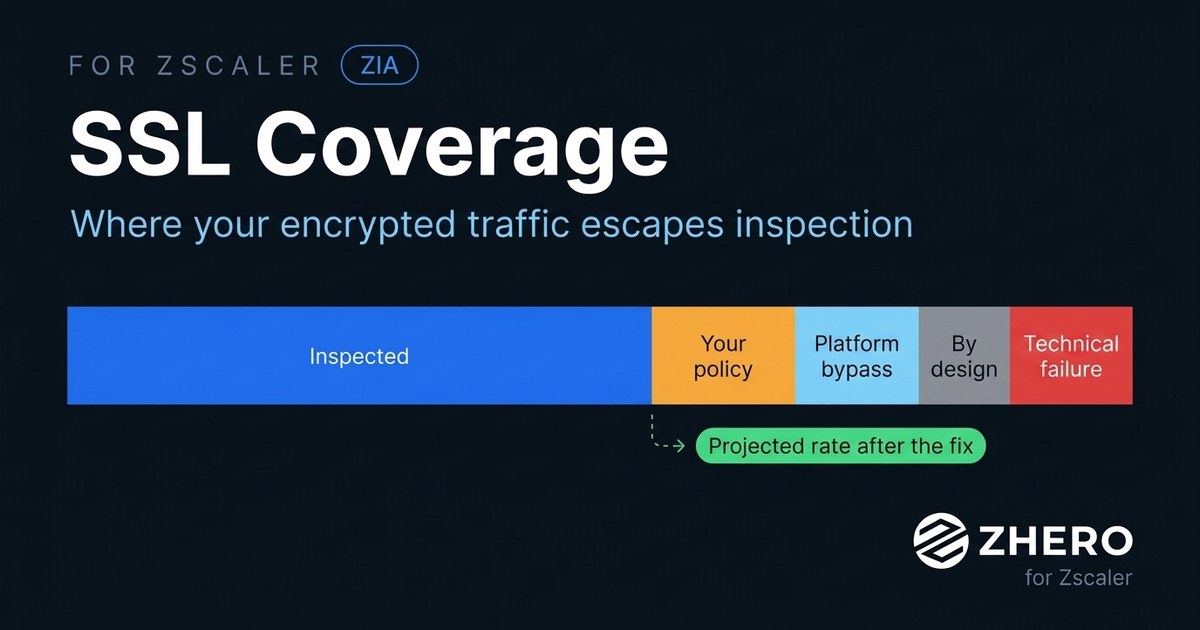
The step that takes time is the second one, opening rules one by one. ZHERO’s export of the SSL Inspection policy has a Bypass Other Policies column, one row per rule, next to the destinations and the order, so steps 1 to 3 become one sheet. To see how much traffic goes uninspected and which rules are responsible, read how SSL Coverage works.
Bring your tenant to a demo and we will go through your SSL Inspection rules together, on your configuration. If you want to go further, the demo can become a full proof of concept on your tenant.
Frequently asked questions
What does Bypass Other Policies do in a Zscaler SSL Inspection rule?
It is one of the two options of the Do Not Inspect action. The traffic is not decrypted, and it is also exempted from the other web policies, such as URL Filtering and Cloud App Control. With the other option, Evaluate Other Policies, the traffic is not decrypted but those policies still apply, limited to what can be seen without decryption, usually the domain.
Is Bypass Other Policies ever the right choice?
Yes, when you have decided that a destination should not be controlled by any web policy, for example traffic you fully trust or that a vendor requires to pass untouched. The problem is not the option, it is using it by default on rules that were only meant to stop decryption.
If a destination is not decrypted, do URL Filtering rules still work on it?
With Evaluate Other Policies, yes, on the parts of the request that are visible without decryption, typically the domain. Rules that need the full URL path or the content, such as file type or data protection rules, cannot see it either way, because the traffic is not decrypted.
How do I find which rules use Bypass Other Policies?
In the console, open each Do Not Inspect rule in the SSL Inspection policy and look at the option under the action. If you export the policy with ZHERO, the Bypass Other Policies column shows it for every rule in one sheet.